

What Is Payroll, and What Does It Actually Involve?
Payroll is the process of calculating employee earnings, subtracting required taxes and deductions, and paying the remaining amount.
Employers may also need to pay their own share of Social Security and Medicare taxes and report wages to federal and state agencies.
According to the Internal Revenue Service, employers generally handle federal income tax withholding, Social Security tax, Medicare tax, and, when applicable, federal unemployment tax.
Beyond taxes, payroll often includes tracking hours worked, applying overtime rules, and managing deductions for benefits like health insurance or retirement contributions.
Employers also need to keep accurate records for each pay period, since these details support tax filings, audits, and compliance checks down the line.
Getting payroll right the first time tends to prevent much bigger headaches later, from penalties to employee disputes over pay
How to Do Payroll Yourself in Easy Steps

Once payroll accounts and employee records are ready, you can calculate each paycheck.
1. Record Hours and Other Earnings
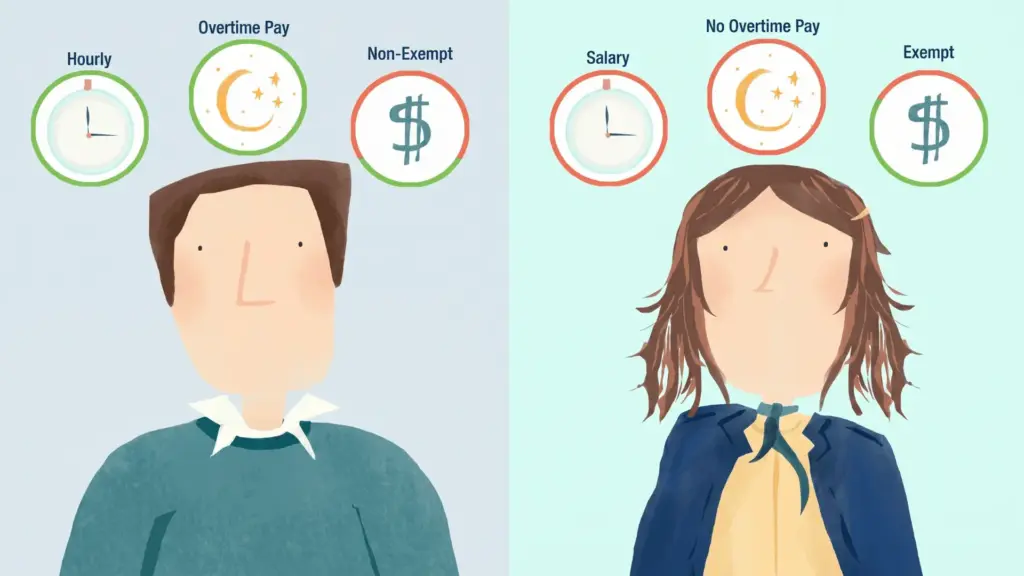
For hourly workers, record regular hours, overtime, bonuses, commissions, and other taxable earnings.
Under federal law, most covered nonexempt employees must receive at least 1.5 times their regular rate for hours worked over 40 in one workweek, a distinction covered in more depth in this exempt vs non-exempt guide. State overtime rules may be stricter.
2. Calculate Gross Pay
Gross pay is the employee’s earnings before taxes and deductions. For salaried employees, divide the annual salary by the number of pay periods. Add overtime, commissions, bonuses, or other taxable earnings as applicable.
For hourly workers: Hourly rate × hours worked = regular gross pay.
3. Calculate Federal Income Tax Withholding
Use the employee’s Form W-4 and the current IRS Publication 15-T to calculate federal income tax withholding.
The amount varies based on the employee’s pay, filing status, credits, deductions, and any extra withholding entered on Form W-4.
4. Calculate Social Security and Medicare Taxes
For 2026, employees and employers each pay 6.2% Social Security tax and 1.45% Medicare tax. Employers also withhold an additional 0.9% Medicare tax on employee wages above $200,000 each year.
Check the latest IRS Publication 15 each year because limits can change.
5. Subtract State Taxes and Other Deductions
Apply any required state deductions, then subtract employee deductions, including health insurance premiums, retirement contributions, wage garnishments, and other approved benefit deductions from the employee’s gross pay.
Check whether each deduction is pre-tax or after-tax because this can affect taxable wages.
6. Calculate Net Pay
Net pay is the amount the employee receives. Review the calculation before sending a direct deposit or issuing a check.
Gross pay − taxes − deductions = net pay.
7. Deposit Payroll Taxes
Federal payroll tax deposits usually must be made electronically.
The IRS may assign an employer a monthly or semiweekly deposit schedule based on previous tax liability. This schedule is separate from how often you pay employees.
|
Note: Before your first payday, get an Employer Identification Number (EIN) for free from the IRS. You may also need state tax withholding and unemployment accounts based on where your employees work. Collect each new employee’s Form W-4, Form I-9, state withholding form, and direct deposit details. Report the new hire to the appropriate state agency when required. |
|---|
Payroll Forms You May Need to File
Payroll does not end when employees are paid. Employers must also report wages and taxes.
|
Form |
What It Reports |
Usual Filing Schedule |
|---|---|---|
|
Form 941 |
Federal income tax, Social Security, and Medicare |
Quarterly |
|
Form 940 |
Federal unemployment tax |
Annually |
|
Form W-2 |
Employee wages and tax withholding |
Annually |
|
Form W-3 |
Total W-2 information sent to SSA |
Annually |
|
State payroll forms |
State withholding and unemployment taxes |
Varies |
How to Maintain and Keep Payroll Records
Keep clear payroll records to show how each employee’s paycheck, deductions, and final payment were calculated, using the categories covered in this guide to reading a pay stub.
-
Employee Information: Record each employee’s full name, address & Social Security number.
-
Hours Worked: Track regular hours and any paid leave used during the pay period.
-
Pay Rate: Note the employee’s hourly wage or salary rate.
-
Gross Wages: Record total earnings before taxes and deductions.
-
Overtime Pay: Track overtime hours, rates, and total overtime earnings.
-
Taxes Withheld: Record federal, state, local, Social Security, and Medicare taxes withheld.
-
Payroll Deductions: List benefit costs, retirement contributions, garnishments, and other deductions.
-
Pay Dates: Record the date each paycheck or direct deposit was issued.
-
Net Pay: Show the final amount paid after taxes and deductions
Should You Handle Payroll Yourself or Hire It Out?

The right answer usually comes down to how much time you have, how complex your payroll actually is, and how comfortable you are being the one who catches a mistake before the IRS does.
|
Factor |
Handling Payroll Yourself |
Payroll Provider or Accountant |
|---|---|---|
|
Cost |
Lower direct cost |
Higher service cost |
|
Control |
More control |
Less administrative work |
|
Best For |
Works well for simple payroll |
Better for complex payroll |
|
Deadlines |
Requires manual deadline tracking |
May automate deposits and filings |
|
Accuracy Check |
You check calculations yourself |
Professional support is available |
Things to Take Care of While Doing Payroll Yourself
Running payroll on your own means every calculation, deadline, and tax deposit falls squarely on you, so a few careful habits early on can save a lot of cleanup later.
-
Incorrect W-4 Information: Use each employee’s latest Form W-4 and verify filing status, dependents, adjustments, and additional withholding before calculating federal income tax.
-
Missing Overtime Pay: Track all hours worked and confirm which employees qualify for overtime. Federal law generally requires 1.5 times the regular rate after 40 hours, while some states have added requirements.
-
Late Tax Deposits: Record federal, state, and local deposit deadlines on a payroll calendar. Late payments may result in penalties and interest.
-
Overlooking State Rules: Review withholding, unemployment insurance, payday schedules, pay-stub details, final paycheck deadlines, and reporting requirements in every state where employees work.
-
Incomplete Records: Keep accurate records of hours, wages, deductions, tax payments, and paychecks.
Final Thoughts
Doing payroll yourself can work well for a small business with a simple pay structure.
The main goal is to calculate wages correctly, withhold the proper taxes, make deposits on time, file required forms, and keep accurate records.
As your business grows, payroll may become harder to manage by hand. At that point, payroll software, an accountant, or a payroll provider can help reduce errors and save time.
No matter which method you use, review current IRS and state payroll rules regularly because tax rates, wage limits, deadlines, and reporting requirements can change.
Frequently Asked Questions
Can I run payroll without software?
Yes. You can use spreadsheets and IRS tools, but accurate calculations and records are essential.
How often should payroll run?
Payroll may run weekly, biweekly, semi-monthly, or monthly, depending on state law.
Should payroll use a separate account?
It is not always required, but a separate payroll account can make wages, taxes, and other payroll expenses easier to track.
What if payday is a holiday?
You may need to process payroll early so employees receive their wages on time without delays caused by the holiday