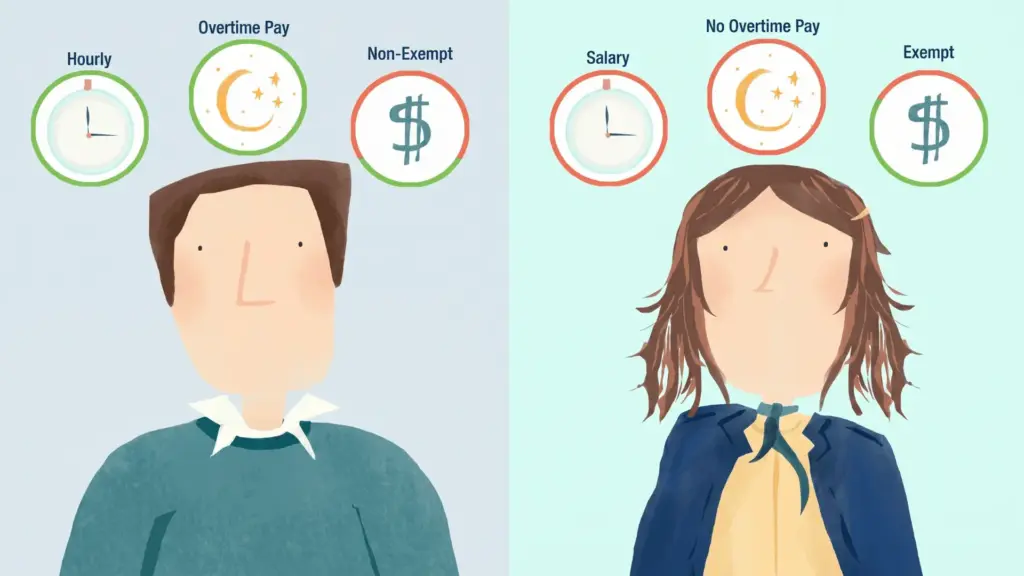

Managing employee time manually is frustrating, costly, and error-prone. Missed clock-ins, payroll errors, and untracked absences add up fast.
An employee attendance tracker takes the guesswork out of workforce management. It saves time, reduces errors, and keeps your team accountable.
The right tool also helps with compliance, scheduling, and early detection of attendance patterns. Businesses of all sizes are making the switch in 2026.
Read ahead to find the best attendance-tracking tools, must-have features, free options for educators, and simple tips to roll out the right system for your team.
What Is an Employee Attendance Tracker?
An employee attendance tracker is a system used to record the days and hours employees work. It also helps monitor approved and unapproved absences, as well as paid or unpaid time off.
The tracker can be simple or highly detailed, with some systems letting you log specific tasks or projects an employee worked on.
Beyond basic attendance, these tools can track billable hours, meeting attendance, and time spent on individual tasks. They also help manage accrued sick leave and paid time off (PTO) for each employee.
Attendance tracking plays a vital role in overall workforce management and scheduling.
By accurately recording time, businesses can review patterns and make smarter decisions about staffing and productivity.
Why Does Accurate Attendance Tracking Matter?
Accurate attendance tracking shapes every workforce decision, from covering an open shift to defending a time-off policy during a compliance review.
According to the World Economic Forum’s 2025 Thriving Workplaces Report, U.S. employers face roughly $226 billion in annual absenteeism costs, about $1,695 per employee.
Real-time dashboards help managers spot coverage gaps, adjust shifts, and control overtime before costs inflate.
Labor laws require exact logs of hours worked, rest breaks, and overtime, making precise recordkeeping essential for compliance.
Proper absence categorization also protects employers during audits, wage disputes, and ADA reviews.
Clean attendance data also surfaces early warning signs, such as recurring absences or rising no-call/no-show rates, that signal deeper workforce issues worth addressing early.
Must-Have Features in an Employee Attendance Tracker
A good attendance tracker should help teams record time, manage absences, and quickly spot issues.
Read the table below for the key features to look for:
| Feature | What It Does | Why It Matters |
|---|---|---|
| Real-time tracking | Shows live attendance updates. | Helps fix coverage gaps. |
| Flexible check-ins | Supports mobile, tablet, kiosk, or computer entry. | Works for all team types. |
| Biometric or GPS verification | Confirms identity or location. | Reduces time fraud. |
| Shift-start alerts | Flags missed clock-ins. | Prevents unnoticed absences. |
| Reporting dashboard | Shows overtime, call-offs, points, and trends. | Helps spot issues early. |
| Call-off audit trail | Records call-ins with time, method, and reason. | Supports clear documentation. |
| Point tracking | Tracks occurrences, thresholds, and protected leave. | Keeps rules consistent. |
| PTO and leave management | Manages balances and time-off requests. | Keeps leave in one place. |
Note: Other helpful features include payroll and HR integrations, custom attendance rules, message acknowledgment tracking, a simple interface, and role-based access with data security.
Types of Employee Attendance Tracking Systems
Not every team needs the same attendance tool. The types below can help you choose a system based on your worksite, budget, and internet access.
- Manual Tracking: Low-cost and easy to start, but prone to errors, time theft, and slow payroll.
- Punch Clocks or Swipe Cards: Simple for fixed worksites, but cards can be lost or shared.
- Biometric and RFID Systems: More accurate, but may need hardware and privacy planning.
- Browser-Based and Mobile Apps: Flexible for office or mobile teams, but need devices and internet.
- SMS and Text-Based Systems: Good for frontline teams, low-connectivity sites, and workers without smartphones.
The U.S. Chamber of Commerce suggests using PIN or photo login backups when biometric hardware is not practical.
The best system depends on how employees clock in, where they work, and how much visibility managers need.
Best Employee Attendance Tracker Tools in 2026
The tools below solve different attendance needs, from reaching all workers to tracking locations, reports, and HR data.
Read below to compare the five tools and choose the one that best fits your team’s needs:
1. Insightful: Attendance Tracking + Remote Monitoring
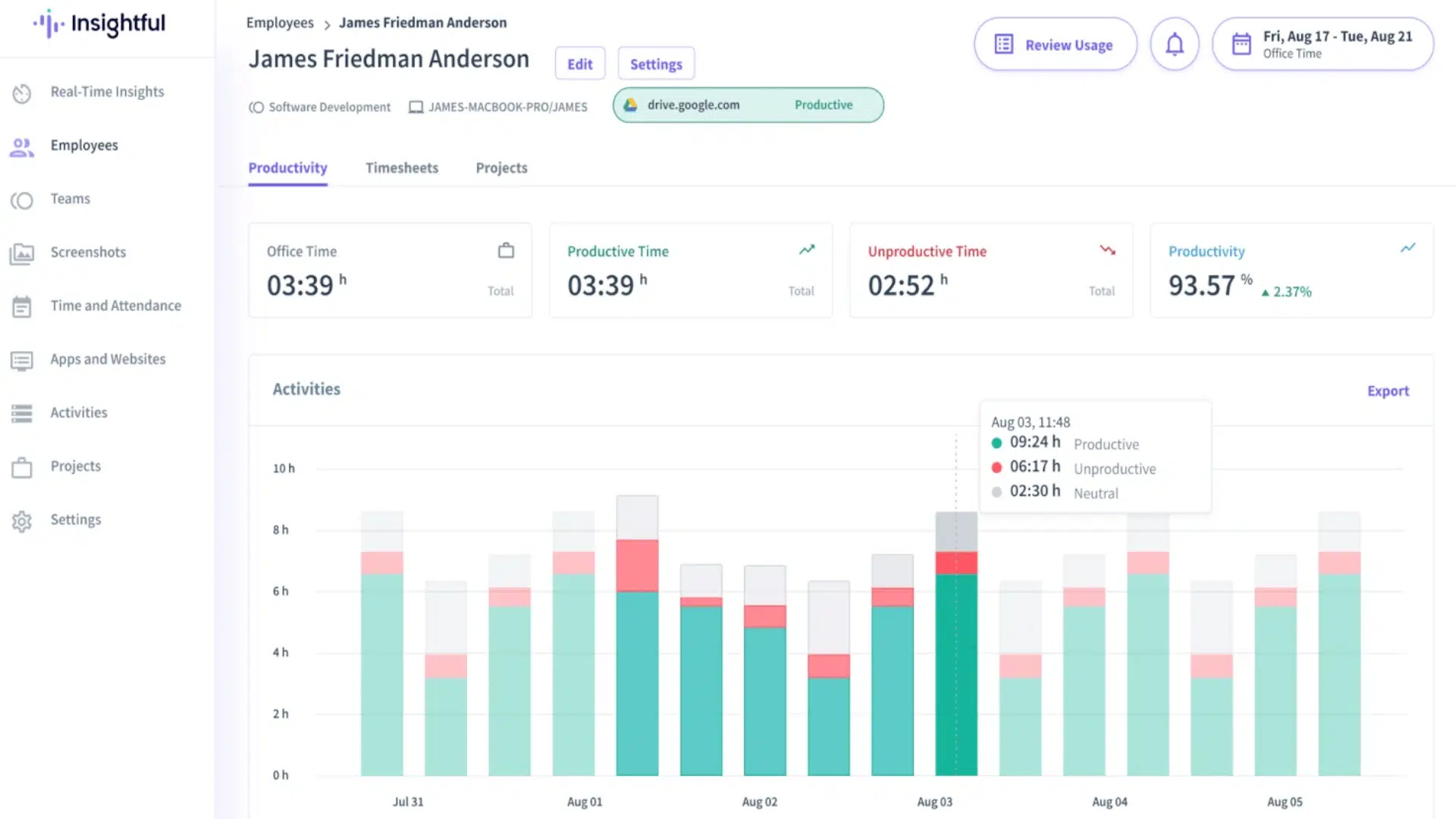
Insightful provides attendance tracking combined with remote employee monitoring. Employees log hours from their devices, while managers can track productivity and time usage.
It works well for distributed or remote teams needing visibility and attendance oversight.
Key Features
- Attendance logging via desktop/mobile
- Productivity monitoring (apps, websites)
- Remote team dashboards
- PTO and absence reporting
- Notifications and alerts for exceptions
Pros and Cons
| Pros | Cons | Notes |
|---|---|---|
| Tracks attendance + productivity | $8/seat/month | Good for remote teams |
| Real-time dashboards | May raise privacy concerns | Helps improve accountability |
| Alerts and reports | Some features require training | Integrates with payroll |
2. Monitask: Remote Team Tracking
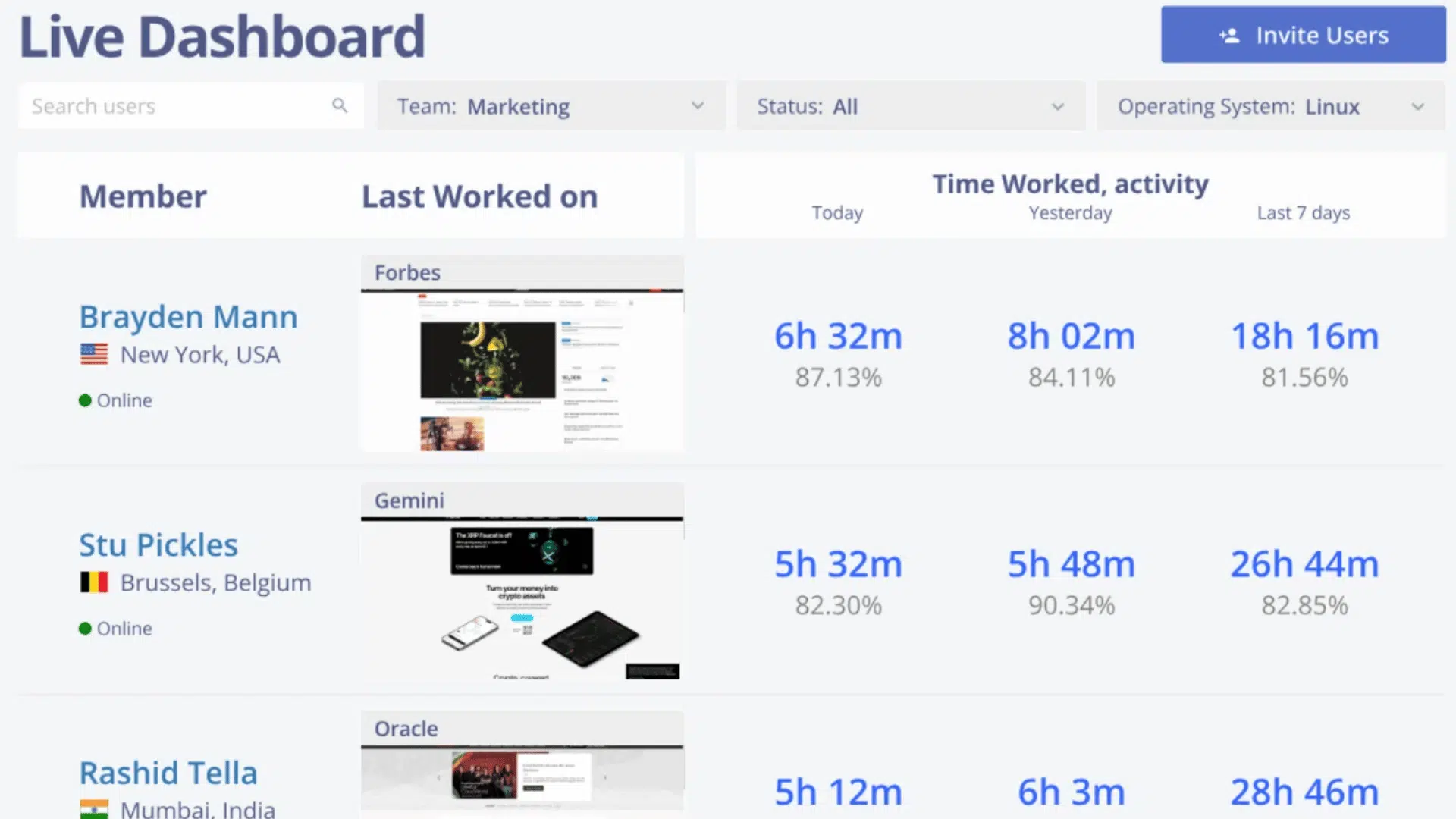
Monitask efficiently tracks time and activity for remote teams. Employees can log time from any device, and managers get detailed activity insights.
It works well for small and medium distributed teams needing time tracking without complex setups.
Key Features
- Time tracking via web and mobile
- Activity monitoring (screenshots optional)
- Reporting on hours and productivity
- PTO tracking
- Project/task-based tracking
Pros and Cons
| Pros | Cons | Notes |
|---|---|---|
| Simple remote tracking | $6.49/user/month | Ideal for SMB remote teams |
| Optional screenshots | Requires internet | Tracks productivity per project |
| Task-based reporting | Limited advanced HR features | Easy setup and use |
3. Connecteam: GPS-Based Attendance + Chat
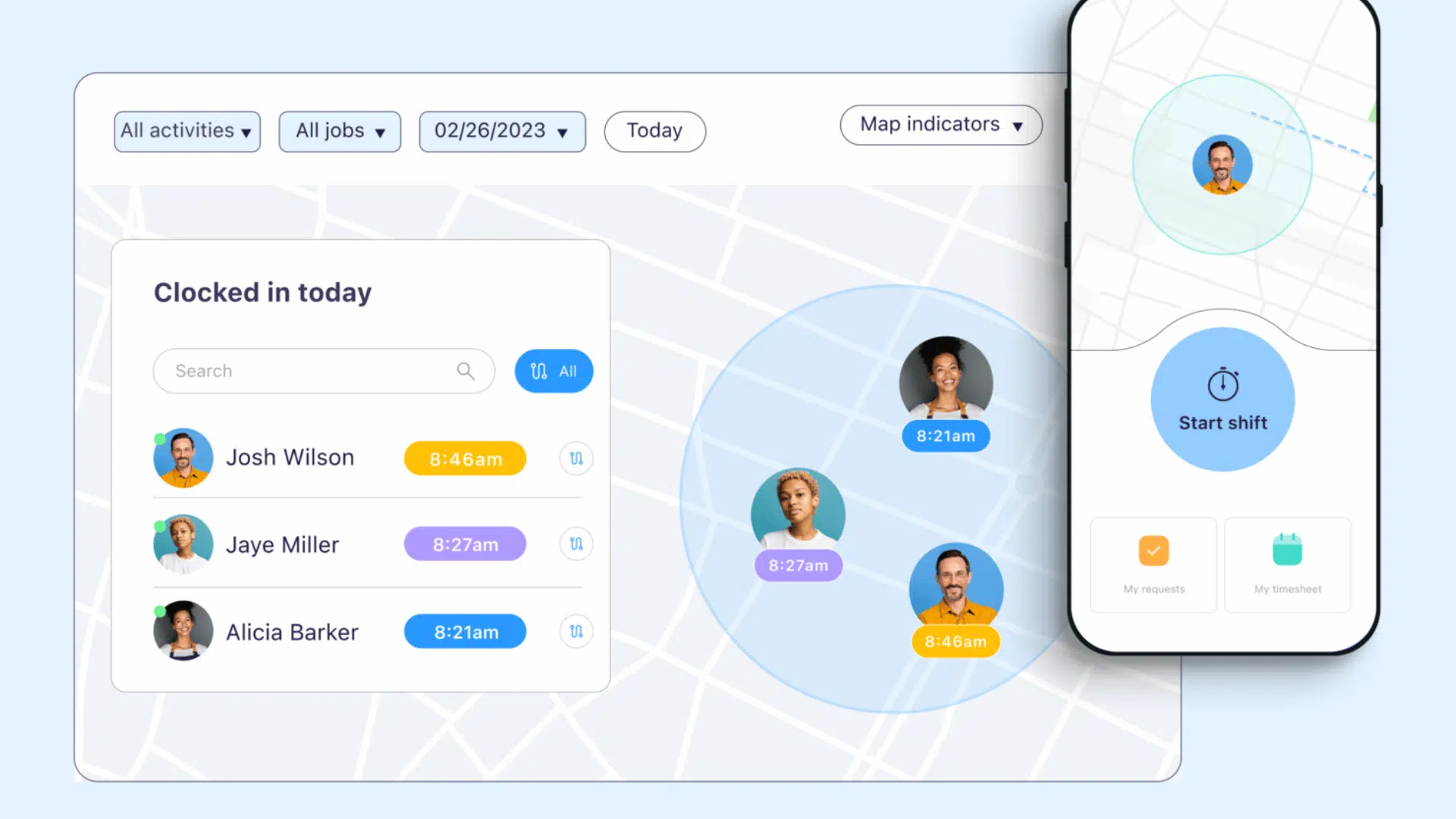
Connecteam delivers GPS-based attendance tracking with team communication. Employees clock in/out via mobile app, and managers get real-time location data.
It works well for mobile or field teams needing shift scheduling and messaging in one app.
Key Features
- GPS clock-in/out verification
- Shift scheduling and swap management
- Team chat and notifications
- Attendance dashboards
- Task and checklist management
Pros and Cons
| Pros | Cons | Notes |
|---|---|---|
| GPS verification | $29/month | Ideal for field/mobile teams |
| Integrated chat | May be overkill for small teams | Combines attendance + communication |
| Shift management | Learning curve for features | Real-time reporting and dashboards |
4. Yourco: SMS-Based Tracking and Frontline Reporting
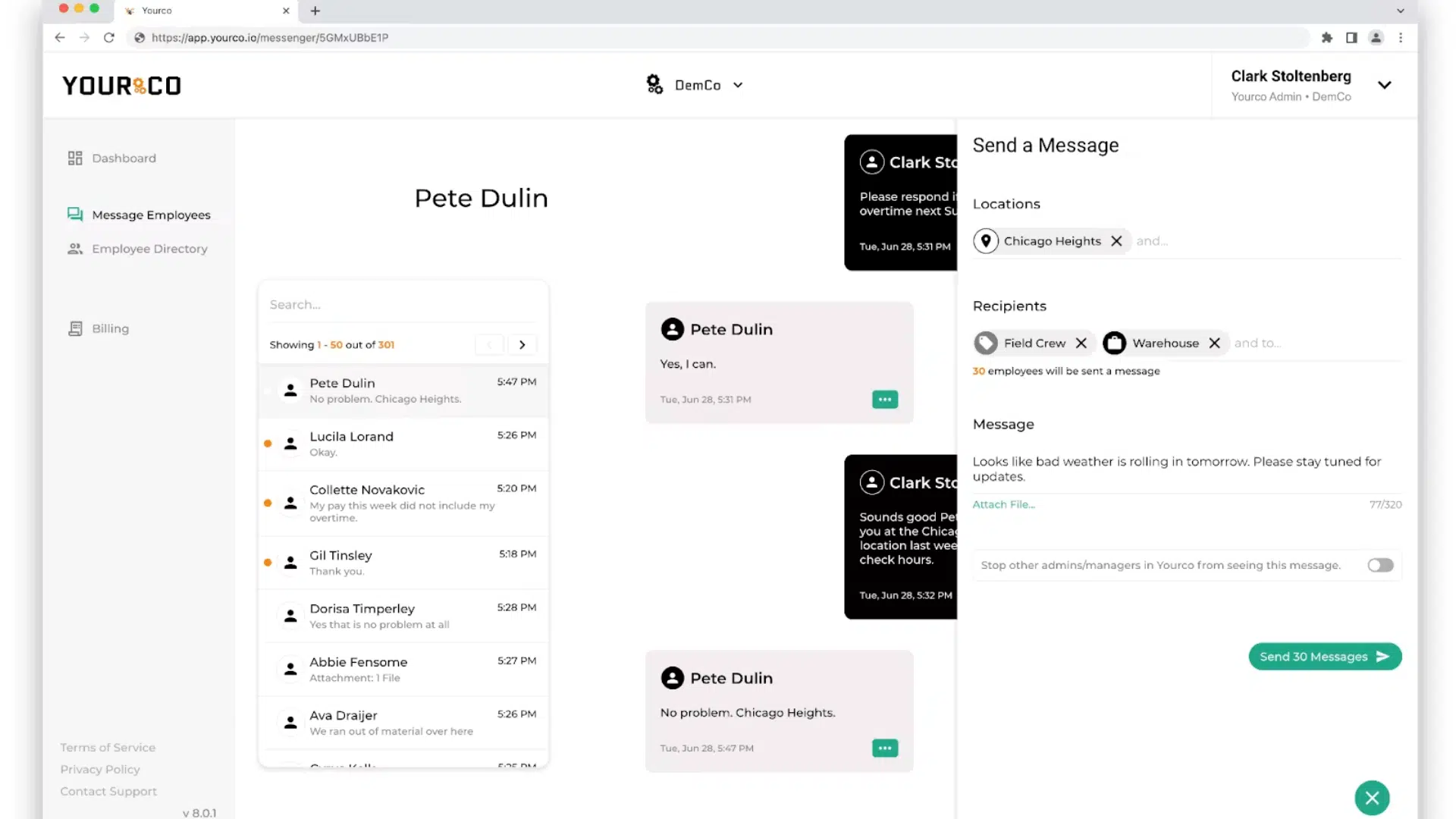
Yourco is designed for frontline teams that may not have access to apps, Wi-Fi, or company email. Employees can clock in, report absences, and confirm updates using simple text messages.
It works well for factory, construction, delivery, and multi-site teams. Managers get real-time visibility into attendance and worker responses.
Key Features
- SMS clock-ins from any mobile phone
- Call-off reporting via text
- Acknowledgment tracking for messages
- Attendance dashboards with patterns and trends
- Multilingual support (135+ languages)
Pros and Cons
| Pros | Cons | Notes |
|---|---|---|
| Works on basic phones | No GPS/location tracking | Ideal for non-desk teams |
| Real-time dashboards | Limited advanced analytics | Integrates with 240+ HR/payroll platforms |
| Multilingual support | Pricing upon request | Quick adoption for frontline teams |
5. Rippling: Time, Attendance, and HR Integration
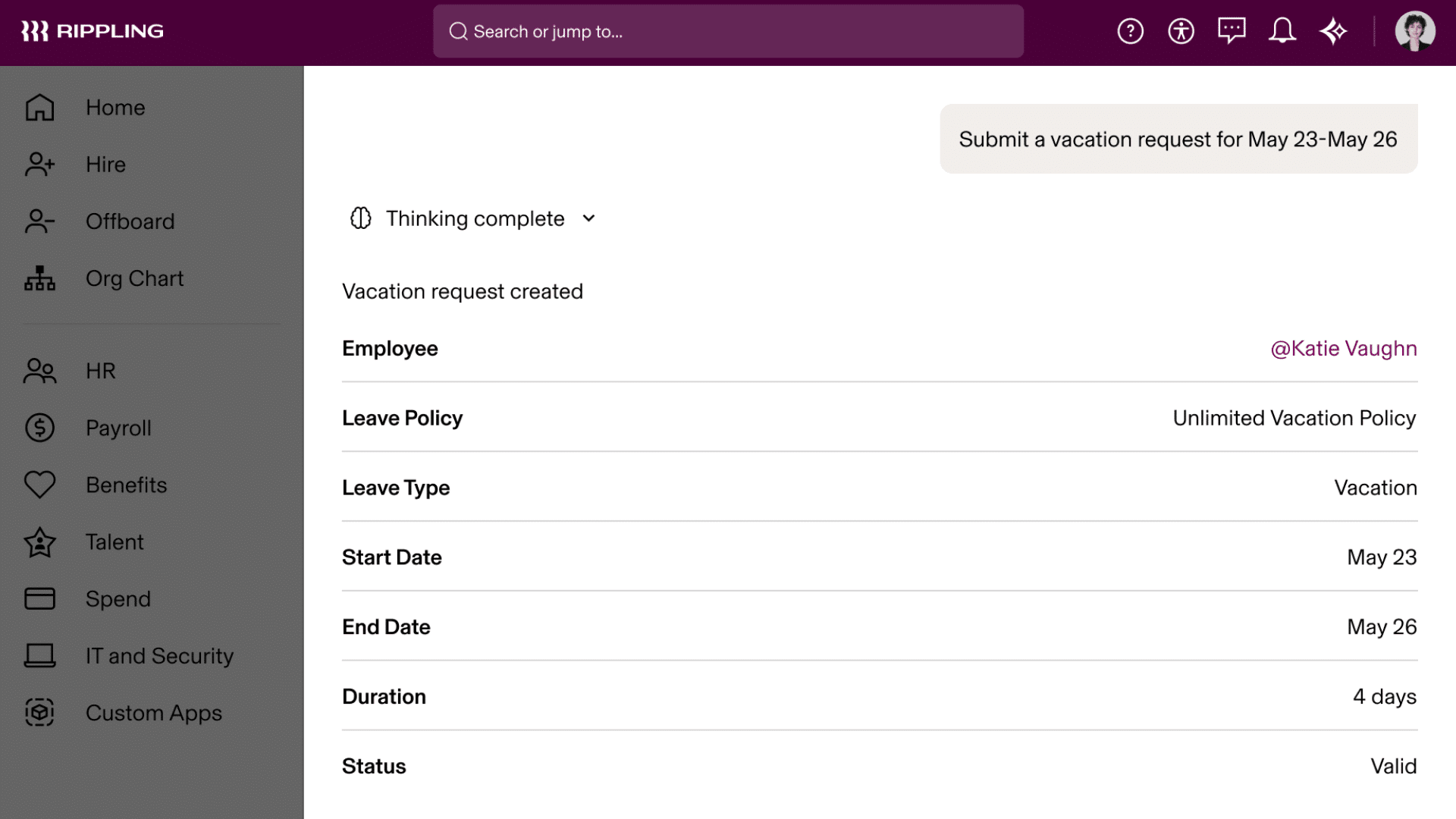
Rippling integrates time and attendance, payroll, and HR into a single system, which is highly rated by U.S. businesses.
It works well for mid-size to large teams that need integrated HR and payroll. Managers get real-time insights on attendance, payroll, and compliance.
Key Features
- Automated time capture
- Payroll integration
- Geofencing and location controls
- Mobile and desktop clock-ins
- Unified HR ecosystem
Pros and Cons
| Pros | Cons | Notes |
|---|---|---|
| Strong payroll sync | Custom pricing | Good for mid-size to large teams |
| Unified HR + attendance | Can be expensive | Excellent U.S. compliance fit |
| Geofencing support | Complex setup | Reduces manual corrections |
6. UKG Pro: Enterprise Attendance and Compliance
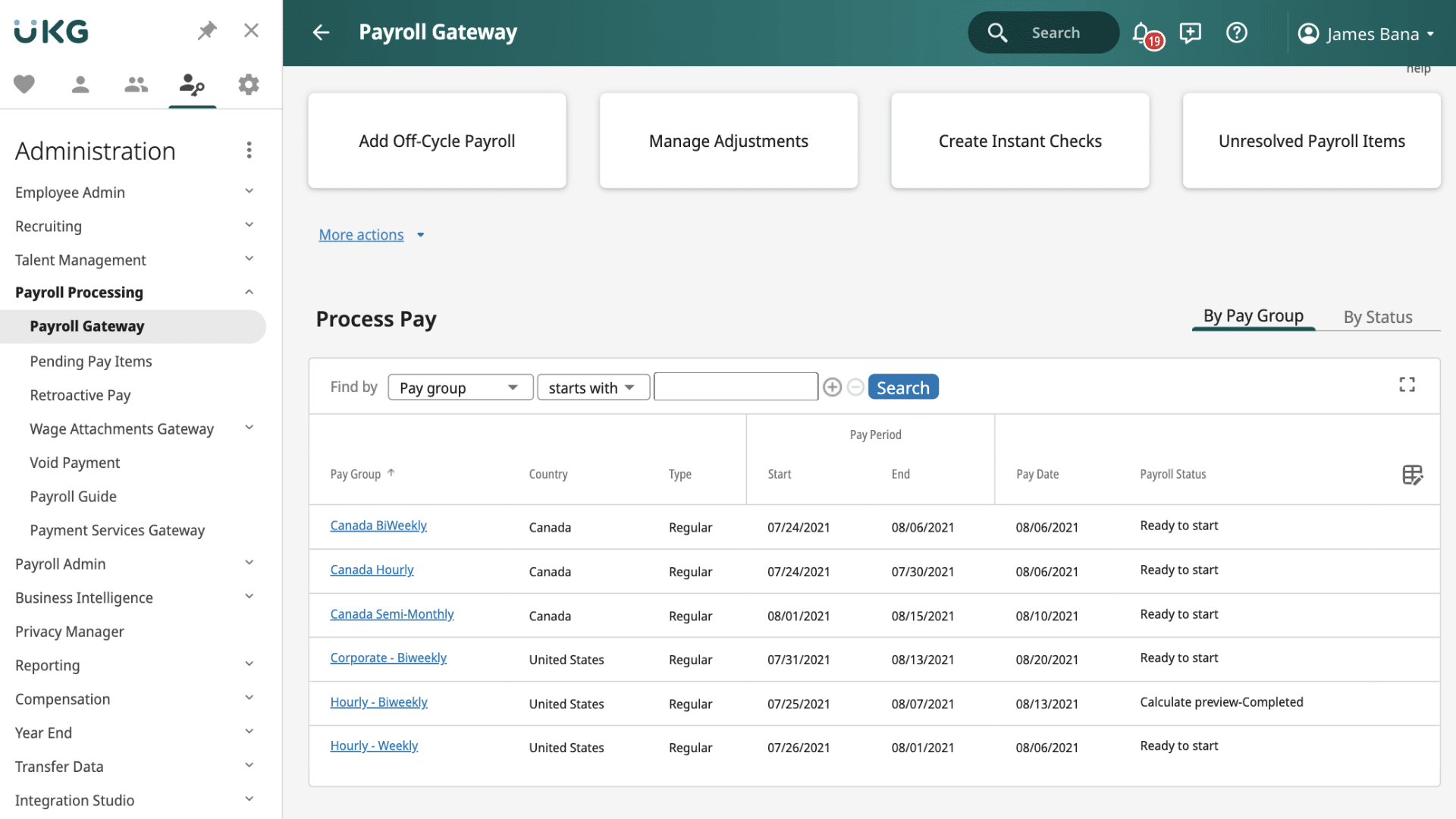
UKG Pro delivers enterprise-grade attendance tracking with real-time dashboards and automated rule enforcement.
It works well for large enterprises needing accurate attendance, compliance, and reporting. Managers get visibility on time, leave, and payroll readiness.
Key Features
- Automated time capture (mobile, web, biometric)
- Real-time dashboards
- Labor rule enforcement
- Leave and absence tracking
- Payroll data readiness
Pros and Cons
| Pros | Cons | Notes |
|---|---|---|
| Very accurate attendance | High cost | Great for enterprises |
| Flexible punch methods | Can need training | Strong compliance coverage |
| Automated compliance | Complex for small teams | Deep reporting |
7. TimeTrex: Unified Attendance and Payroll
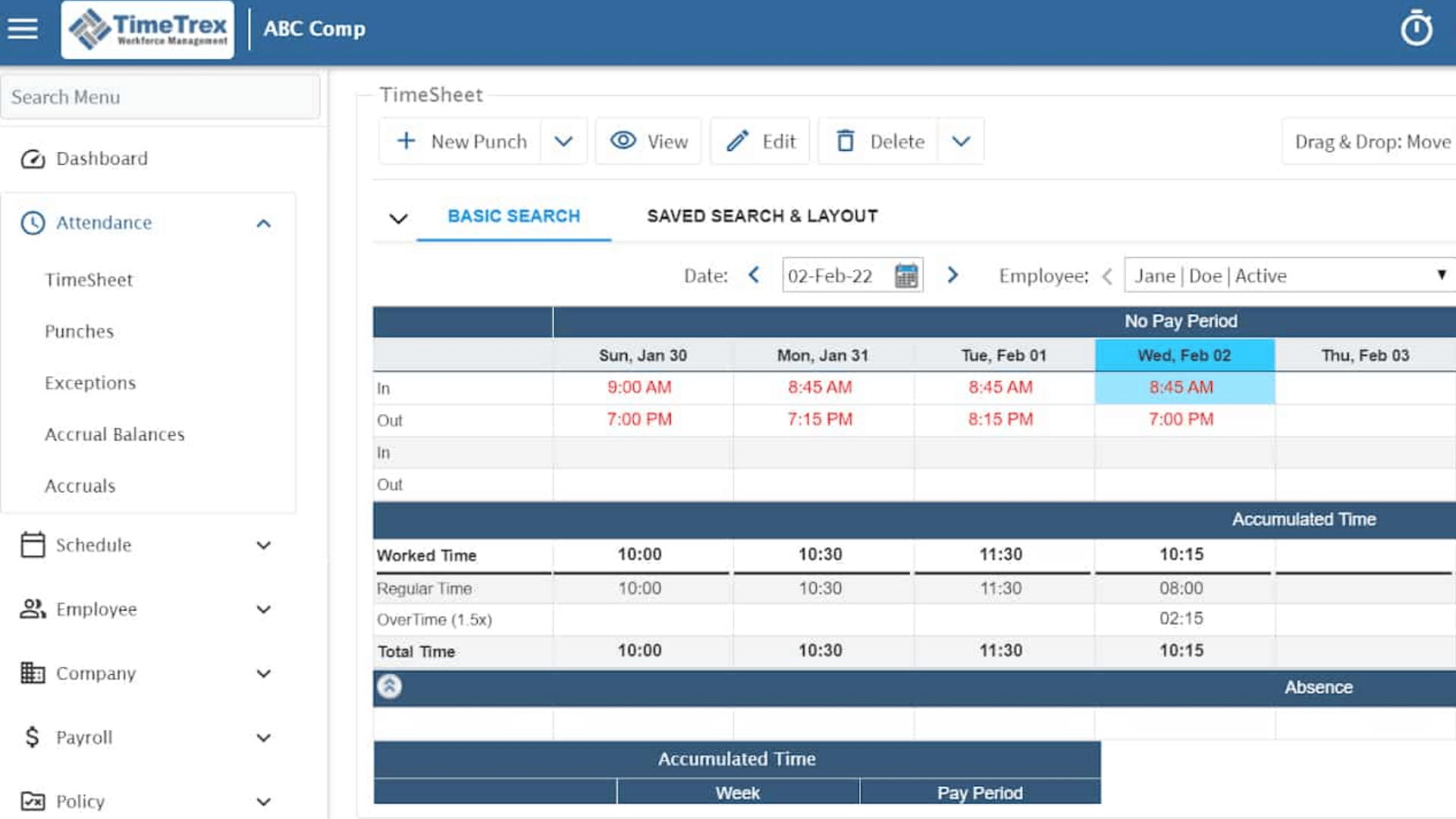
TimeTrex is a unified attendance, scheduling, and payroll-ready platform. It helps businesses of all sizes track time accurately while simplifying payroll and compliance management.
It works well for SMBs to enterprise teams needing scheduling, attendance, and payroll in one system. Managers get detailed reporting and flexible deployment options.
Key Features
- Native attendance + payroll readiness
- Scheduling integration
- Biometric clock support
- Detailed reporting
- Cloud or on-site options
Pros and Cons
| Pros | Cons | Notes |
|---|---|---|
| Strong all-in-one stack | Some UI learning | Ideal for SMBs to enterprise |
| Biometric options | Higher entry effort | Payroll ready without add-ons |
| Flexible deployment | Custom pricing | Rich analytics |
8. Workforce.com: Attendance with Compliance
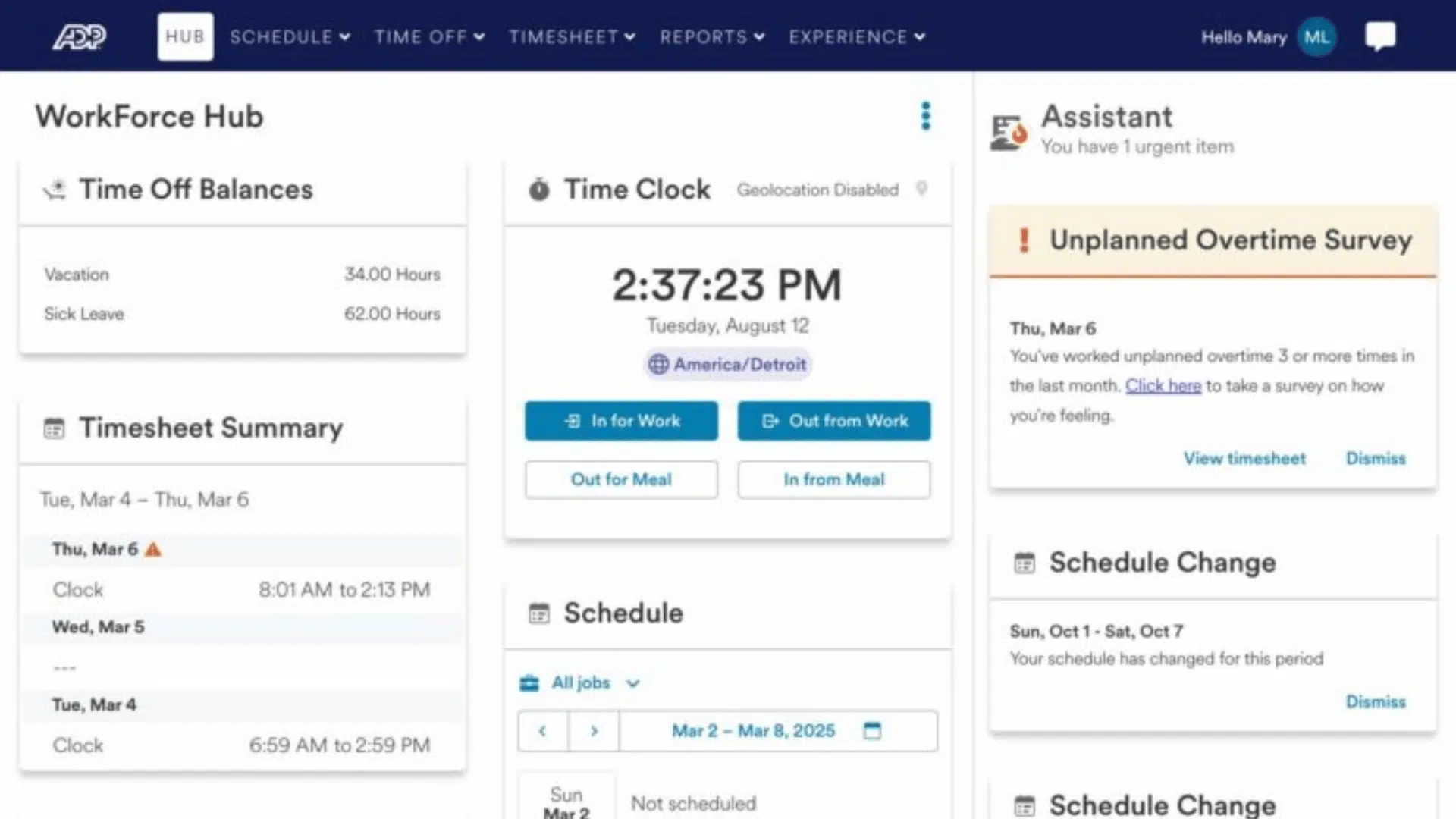
Workforce.com efficiently tracks employee attendance with automated compliance rules, GPS verification, and seamless payroll links.
It works well for retail, hospitality, and other teams requiring live attendance tracking with rule enforcement. Managers get alerts, dashboards, and scheduling control.
Key Features
- Real-time clock-in/out with GPS
- Labor rules and compliance alerts
- Shift swapping and scheduling
- Break and overtime enforcement
- PTO and leave management
Pros and Cons
| Pros | Cons | Notes |
|---|---|---|
| Strong compliance | Quote-based pricing | Excellent for retail/hospitality |
| Real-time dashboards | Feature-rich for small teams | Live alerts on attendance issues |
| PTO integration | Setup required | All-in-one scheduling |
9. TimeClock Plus: Policy-Driven Attendance
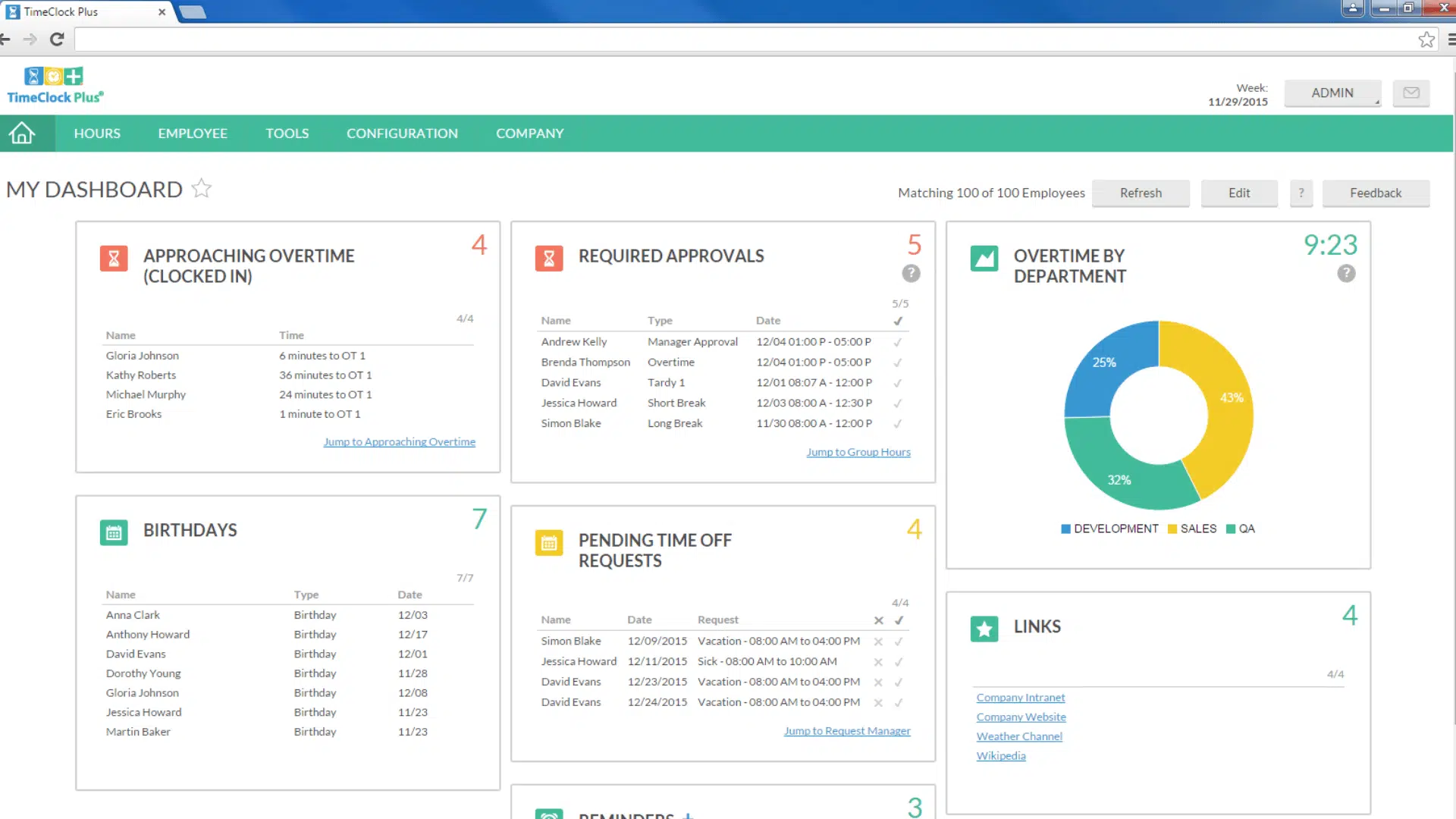
TimeClock Plus offers policy-driven attendance with biometric options for mid-market and larger teams.
It works well for regulated industries needing secure attendance and audit trails. Managers get detailed reports and policy enforcement tools.
Key Features
- Policy-driven attendance tracking
- Biometric clock capabilities
- Scheduling tie-ins
- Audit logs and approvals
- Labor reporting
Pros and Cons
| Pros | Cons | Notes |
|---|---|---|
| Biometric support | Custom pricing | Good for regulated sectors |
| Strong policy enforcement | Complex setup | Reliable tracking |
| Reporting tools | Training needed | Secure/accurate |
10. Homebase: Hourly Attendance and Scheduling
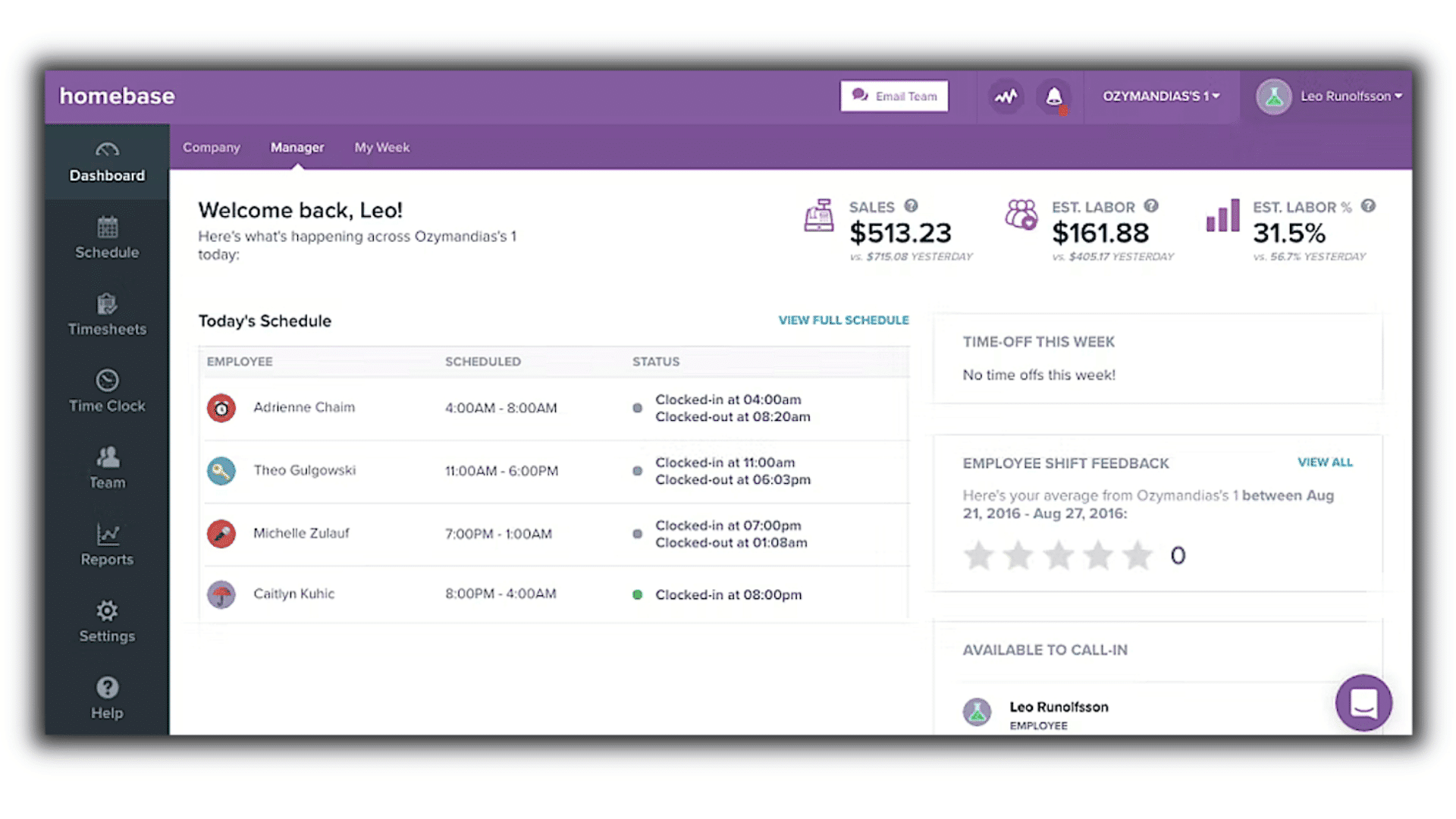
Homebase provides accurate attendance tracking, shift scheduling, and approvals for hourly employees and small teams.
It works well for small or hourly teams needing simple clock-in/out, scheduling, and PTO tracking. Managers get mobile-friendly tools and payroll export.
Key Features
- Clock-in/out with GPS
- Shift scheduling
- Timesheet approvals
- PTO tracking
- Payroll export
Pros and Cons
| Pros | Cons | Notes |
|---|---|---|
| Free plan available | Limited enterprise tools | Best for small/hourly teams |
| Easy mobile use | Less deep analytics | Quick setup |
| Scheduling + attendance | Add-ons cost extra | Retail/food service fit |
11. QuickBooks Time (formerly TSheets): GPS + Payroll
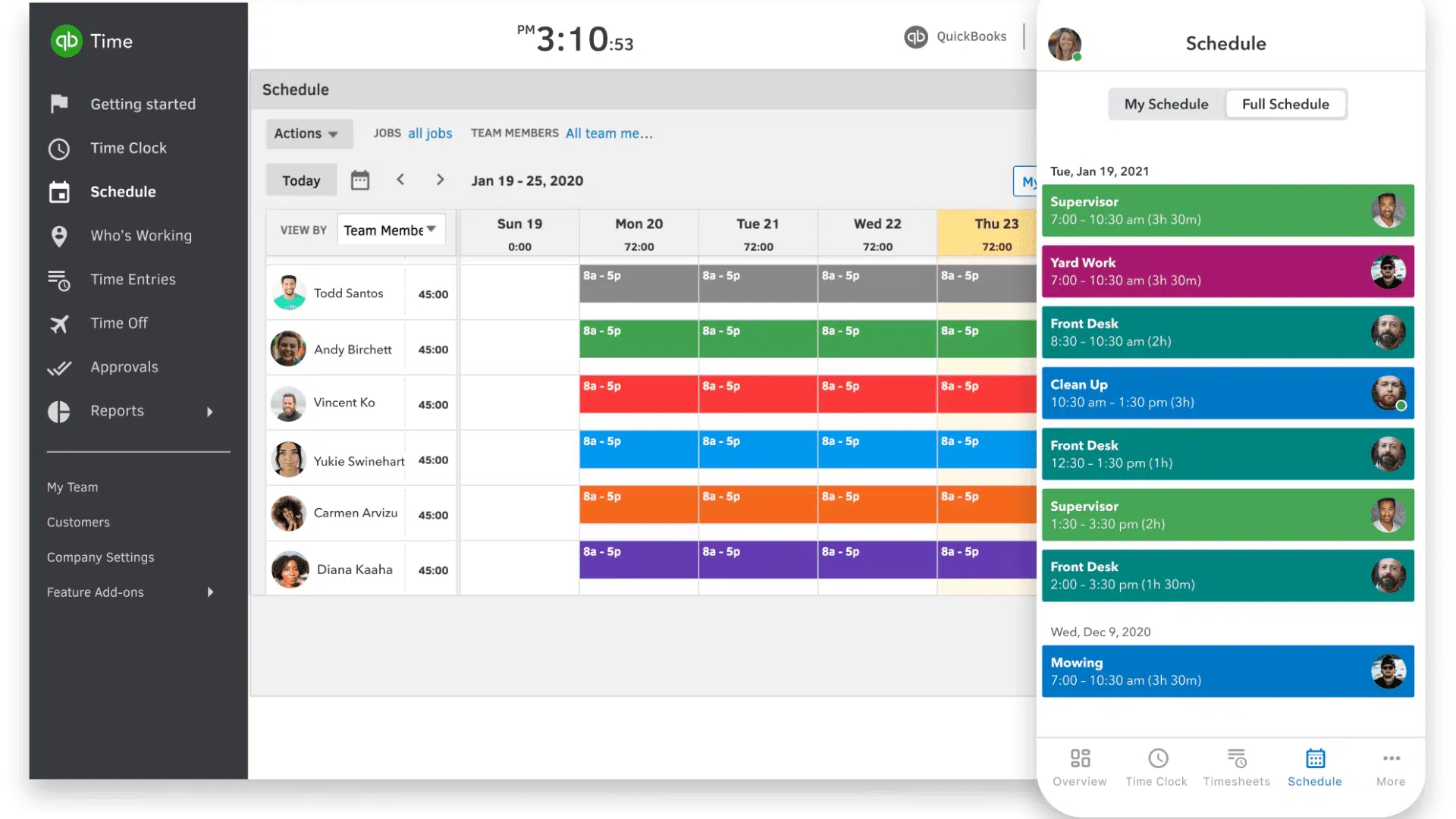
QuickBooks Time integrates with QuickBooks payroll and offers GPS tracking and live attendance.
It works well for field teams or businesses already using QuickBooks. Managers get mobile tracking, job site visibility, and payroll sync.
Key Features
- GPS and job site tracking
- Mobile clock-in/out
- Payroll sync with QuickBooks
- Scheduling tools
- Timesheet approvals
Pros and Cons
| Pros | Cons | Notes |
|---|---|---|
| Seamless QB payroll sync | Some overtime issues | Strong for QB users |
| GPS time capture | Pricing can be high | Live location tracking |
| Mobile ease | Learning curve | Good for field teams |
12. BambooHR: Attendance with HR Workflows
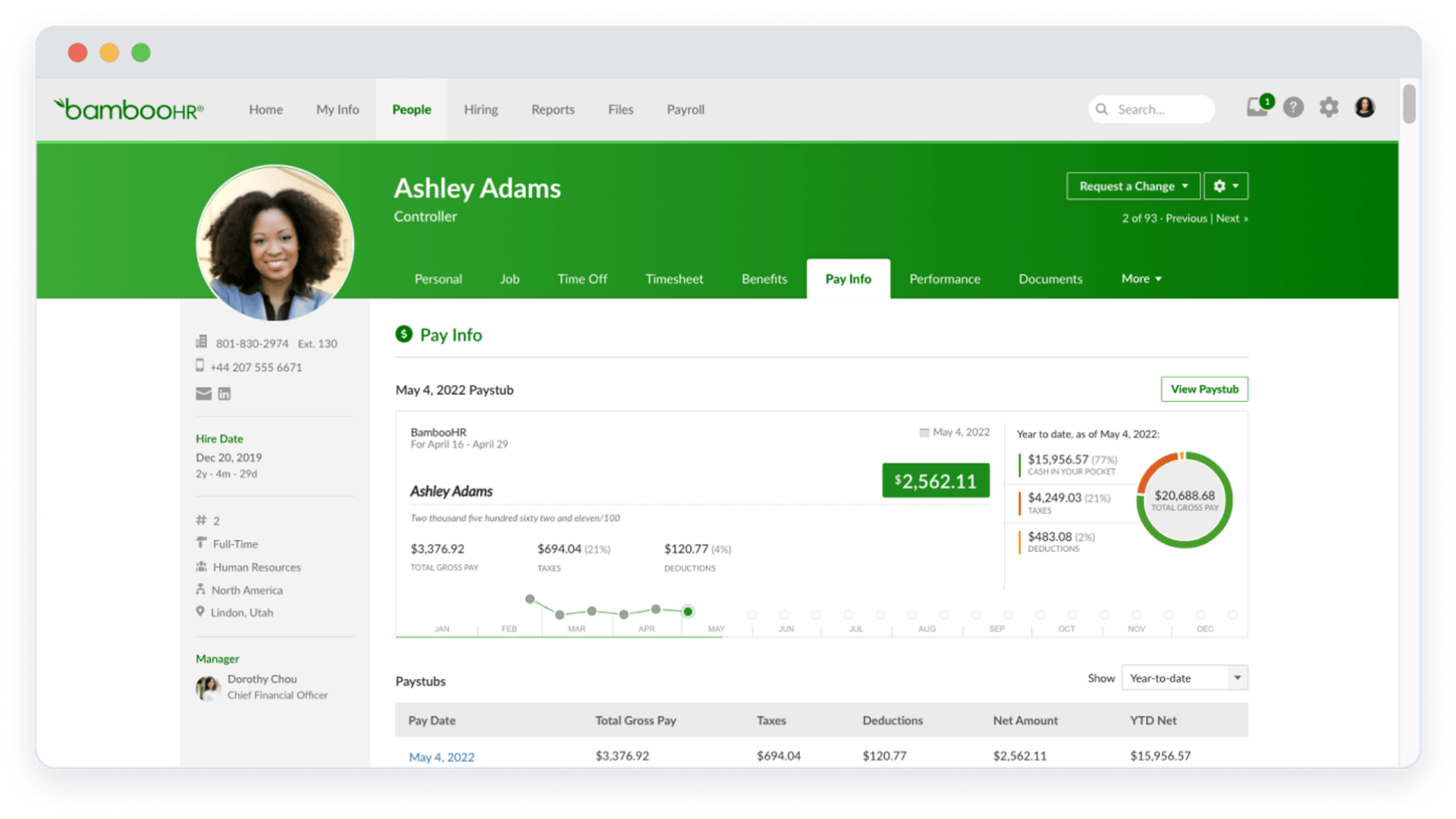
BambooHR combines attendance tracking with HR workflows for seamless, integrated reporting and employee management.
It works well for HR-first teams needing self-service, PTO tracking, and HR integration. Managers get reports and HR data in one system.
Key Features
- Time tracking with approvals
- Employee self-service
- HR data integration
- Reporting tools
- PTO/absence tracking
Pros and Cons
| Pros | Cons | Notes |
|---|---|---|
| HR + attendance together | Attendance is not primary | Best for HR-first teams |
| Easy to use | May be pricey | Great UX |
| Self-service tools | Limited GPS | Good small to mid teams |
13. uAttend: Biometric Attendance
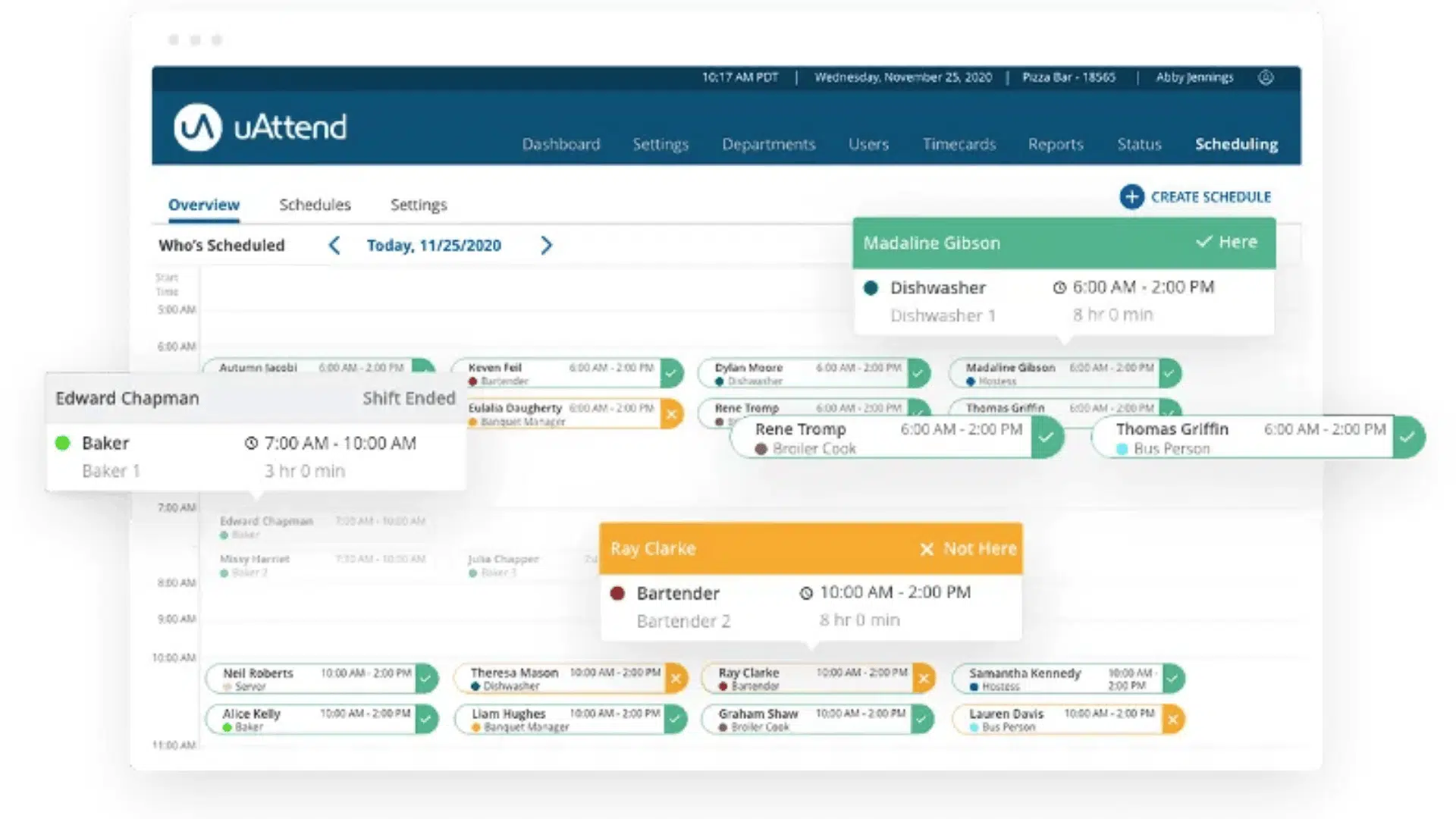
uAttend uses biometric clocks with cloud dashboards for simple, reliable, and accurate attendance tracking across multiple locations.
It works well for SMBs that need secure, easy-to-use biometric attendance. Managers get cloud dashboards, multi-location support, and payroll export.
Key Features
- Biometric time clocks
- Centralized cloud attendance data
- Overtime tracking
- Payroll export
- Multi-location support
Pros and Cons
| Pros | Cons | Notes |
|---|---|---|
| Simple biometric setup | Hardware cost | Great for SMBs |
| Quick deployment | Less scheduling depth | Reliable attendance capture |
| Cloud dashboard | Limited advanced features | Easy approvals |
How to Roll Out an Employee Attendance Tracker?
Rolling out an employee attendance tracker for frontline teams requires a careful, structured approach to ensure adoption and accuracy.
- Identify Gaps Early: Pinpoint undocumented call-offs, hidden overtime, and inconsistent point tracking before selecting a tool.
- Set Clear Goals: Define what success looks like: fewer payroll corrections, faster coverage decisions, and defensible FMLA documentation.
- Engage Employees: Explain the benefits to workers to increase adoption and reduce errors or gaming of the system.
- Pilot Before Full Rollout: Test with a small team to address multilingual, offline, or device-related issues before organization-wide deployment.
- Thorough Training: Equip supervisors and employees with knowledge on call-off reporting, attendance records, and handling FMLA events.
- Formal Policies: Written rules for call-offs, no-call-no-shows, and point management clarify expectations and reduce confusion.
- Responsive Feedback: Early monitoring allows adjustments to the workflow and user experience, improving long-term compliance.
Rolling out an attendance tracker thoughtfully ensures smooth adoption, accurate tracking, and reliable workforce management.
Best Free Attendance Tracking Tools for Students
Free attendance tools help US educators save time and stay organized without spending a dollar. Each of these tools offers a reliable, cost-free way to manage student attendance.
| Tool | Best For | Key Features | Platform |
|---|---|---|---|
| Jibble | Schools & Universities | Facial recognition, geofencing, unlimited users, FERPA-compliant | Web, Mobile |
| MyAttendanceTracker | Teachers & Educators | QR code check-in, Excel/PDF export, reporting | Web |
| OneTap Check-In | Quick Setup Classrooms | QR scan, check-in links, real-time cloud sync | Web, Mobile |
| Google Forms & Sheets | DIY & Custom Setups | Fully customizable, free forever, instant data sync | Web |
| Klassly | K-12 Classrooms | Fast roll call, family involvement, mobile-friendly | Android, iOS |
| Alora | Teachers & Coaches | Instant reports, paperless tracking, easy setup | iOS |
Benefits of Using the Best Employee Tracking Tools
Employee tracking tools offer real advantages when used with clear goals in mind.
- Monitor employee work hours accurately to reduce time theft and payroll errors.
- Gain real-time visibility into task progress and project completion rates.
- Identify top performers and recognize employees who consistently meet their targets.
- Improve accountability by giving employees a clear record of their own performance.
- Streamline attendance management and reduce the need for manual timesheets.
- Use collected data to make smarter decisions around staffing and resource allocation.
With the right tool in place, businesses can build a more organized and productive workplace.
Conclusion
Choosing the right employee attendance tracker can transform how your business manages time, reduces costs, and stays compliant.
Whether you run a small hourly team or a large enterprise, the right tool brings clarity to workforce decisions and removes the guesswork from scheduling, payroll, and absence management.
The options covered above offer something for every team size and budget.
Start with a free trial or pilot tool today and see the difference accurate tracking makes for your bottom line.
Have questions or experience with any of these tools? Drop a comment below and share what has worked for your team.
Frequently Asked Questions
Can an Employee Attendance Tracker Help Reduce Payroll Errors?
Yes, automated trackers record clock-ins and overtime in real time, eliminating manual timesheet mistakes. Accurate data feeds directly into payroll, reducing errors and saving HR teams time spent on corrections.
Do Attendance Tracking Tools Work for Remote and Hybrid Teams?
Yes, most modern tools support clock-ins on both mobile and desktop, making them fully compatible with remote and hybrid setups.
How Do I Know if My Current Attendance Tracking System Is No Longer Working?
Key signs include frequent payroll errors, untracked overtime, and unreliable absence records. If managers lack accurate data for staffing decisions, it is time to upgrade.