
You open your W-2 and find a line in Box 14 that matches nothing in your tax software.
Is it income? A deduction? Something you have to enter?
Welcome to W-2 Box 14, the catch-all space where employers list details that don’t fit in any other box.
In this blog, you will learn what it is, what employers commonly put there, how to read the labels, and what to do with them when you file your return.
What is W2 Box 14?
W-2 Box 14 is the “Other” box, where your employer lists extra details that have no box of their own, such as state disability insurance (SDI), union dues, or 414(h) pension contributions.
Employers pick their own labels, and most entries are notes for your records or your state return, not extra income.
The IRS doesn’t set an official list of codes for Box 14. Each employer or payroll provider picks its own abbreviations, so the same item can appear under different labels on different W-2s.
|
Label you may see |
What it usually means |
|---|---|
|
SDI or CASDI |
State disability insurance withheld |
|
UNION |
Union dues paid |
|
UNIF |
Uniform payment or allowance |
|
414H |
Government retirement plan contributions |
|
RRTA |
Railroad retirement tax amounts |
|
HOUSING or PARSONAGE |
Clergy housing allowance |
Where to Find Box 14 on W2 Form?
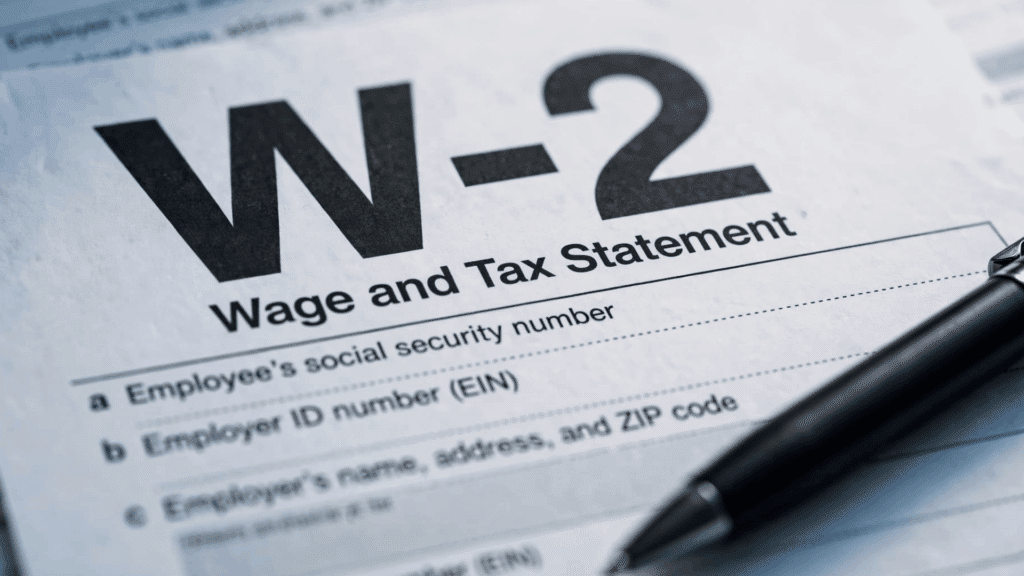
Form W-2, the Wage and Tax Statement, is the form your employer sends you each year to report what you earned and what was withheld.
It lists your wages along with federal income tax, Social Security tax, and Medicare tax taken from your pay.
Box 14 is labeled “Other” and sits in the lower right area of the form, just above the state and local tax boxes (Boxes 15 through 20).
Because it’s small and often holds only a short abbreviation, it’s easy to skip over. Many W-2s leave it blank.
Employers must send it to you by January 31, and a copy also goes to the IRS and the Social Security Administration.
Common W-2 Box 14 Entries: What Employers Report and Why
Your W-2 will likely show only one or two of these, and many workers see none. The label an employer uses for each item varies.
|
Type |
Entry |
What it means |
|---|---|---|
|
Pay-related |
State disability insurance (SDI) |
The amount withheld for your state’s disability program |
|
Union dues |
What you paid to your union during the year |
|
|
Uniform payments |
Money your employer paid you for uniforms or work clothing |
|
|
Health insurance premiums |
What you paid for health coverage through payroll, shown for your records |
|
|
Special |
Vehicle use |
The value of personal use of a company car |
|
Education help |
Tuition or training assistance your employer provided |
|
|
414(h) contributions |
Retirement contributions for some government employees |
|
|
Railroad retirement (RRTA) |
Compensation and tax amounts for railroad workers |
|
|
Clergy housing |
The housing allowance for ministers |
Employer-Sponsored Benefits and Box 14
Employer-sponsored benefits don’t always show up in Box 14, which can leave you wondering if something was left off your W-2.
Why a Benefit May Be Missing
Box 14 is optional, so employers list only what they choose to report. Many benefits never appear there.
Retirement contributions, dependent care, and health coverage costs usually go in other boxes, such as Box 10 or Box 12, and some tax-free benefits aren’t reported on the W-2 at all.
What to Do If You Expected an Entry
-
Check the other boxes, especially Box 12, before assuming it’s missing.
-
Review your final pay stub for the benefit and its year-to-date amount.
-
Ask payroll or HR whether the item is reported on your W-2 and where.
-
Request a corrected W-2 (Form W-2c) if something that should be reported is wrong or missing.
Is W-2 Box 14 Taxable?

No, W-2 Box 14 isn’t taxable on its own. It’s a notes section where your employer lists extra details.
The amounts are usually already counted in Box 1 or left out of it on purpose, so you don’t add them to your income again.
If you work for New York City government, your W-2 may show IRC125 (pre-tax benefit deductions) and IRC414H (pension contributions).
Both skip federal income tax but count for New York State and City tax, so you add them back to Box 1 for those returns.
Some employers list overtime or tips here. If yours did, you can use that number for the new no-tax-on-overtime deduction or the tips deduction, which lowers your taxable income.
The IRS confirms you can rely on those Box 14 amounts in Notice 2025-69.
How Does W-2 Box 14 Affect Your Tax Return?
For most filers, W-2 Box 14 changes very little on the federal side, because the IRS already has your taxable wages from Box 1.
Its main job is to feed the right details into your state return and a few special deductions.
Tax software asks you to type each Box 14 line separately with its label and amount, then match it to a category.
If nothing fits, picking “Other” is fine, and the program checks whether the item matters.
Getting the label right is the part to watch, since a state tax entered as “Other” can mean a missed refund or deduction.
Starting with 2026 forms, the old Box 14 becomes Box 14a, and a new Box 14b shows your tipped occupation code, which decides whether your tips qualify for the deduction.
What is the Difference Between W-2 Box 12 and Box 14?
Box 12 and Box 14 both hold extra details, but they work very differently. That difference shapes how much attention each box needs at filing time.
|
Feature |
Box 12 |
Box 14 (14a on 2026 forms) |
|---|---|---|
|
Who sets the codes |
IRS |
Your employer |
|
Code format |
Standard letters, A to II, plus TA, TP and TT on 2026 forms |
Free text, such as SDI, UD, or 414H |
|
Required? |
Yes, when an item applies |
Mostly optional |
|
Entry slots |
Four (12a to 12d) |
Several lines, with extra room added in 2026 |
|
Typical items |
401(k) deferrals (D), employer health coverage cost (DD), HSA contributions (W), group-term life over $50,000 (C) |
State disability tax, union dues, government pension contributions (414(h)), clergy housing |
|
Effect on your return |
Often feeds forms and limits directly |
Usually informational, with a few state and deduction exceptions |
|
Tax software |
Reads codes automatically |
Asks you to pick a category |
When Should You Consult a Tax Professional?
A qualified tax professional can help clarify unfamiliar deductions, identify potential tax implications, and prevent reporting errors when filing your federal or state income tax returns.
Consult a tax professional during:
-
Unfamiliar Box 14 codes that affect taxable income.
-
Complex retirement or pension contribution reporting.
-
State disability insurance deductions and eligibility requirements.
-
Taxable fringe benefits and employer-provided perks.
-
When handling multiple-state employment and income.
Conclusion
Understanding your W-2 Box 14 is a valuable step toward taking control of your finances.
You need to know what every deduction, contribution, and payroll entry represents, rather than simply accepting unfamiliar numbers without explanation.
Have you encountered an unusual Box 14 code on your W-2? Share your experience or questions in the comments below.
Frequently Asked Questions
Can Box 14 Have More than One Entry?
Yes. Employers can list several items, each with its own label and amount. If space runs out, some attach a separate statement or split entries across lines.
How Do I Fix a Wrong Box 14 Entry?
Ask your employer or payroll department to review it. If it’s wrong, they can issue a corrected Form W-2c. Request it before you file, if possible.
Do Independent Contractors Get a Box 14?
No. Contractors don’t receive a W-2. Their income is usually reported on Form 1099-NEC, which doesn’t have a Box 14 as the W-2 does.
How Long Should I Keep My W-2?
Keep it for at least three years after your return’s due date. The IRS actually suggests holding on to your copy until you start collecting Social Security, just in case there’s ever a question about your earnings record.