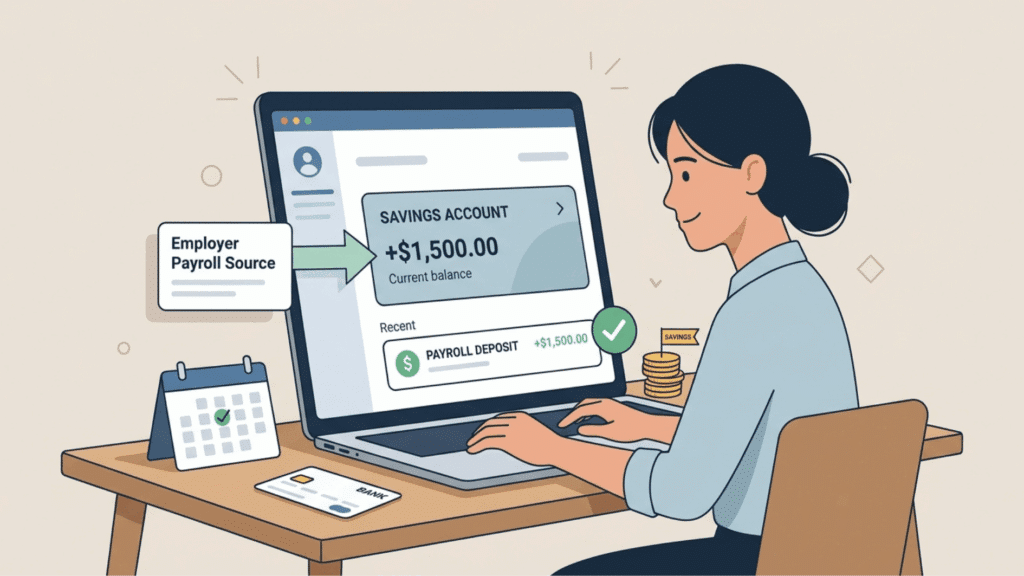

Employees can usually choose where their pay is deposited, and a savings account may be one of the available options. The setup is similar to using a checking account.
Sending part or all of a paycheck to savings can help separate money for future needs. It may also suit employees who do not need to use the full amount for regular bills and daily spending.
In this blog, you will learn can you direct deposit into a savings account, what details payroll needs, how to set it up, and how direct deposit to checking or savings compares.
Can You Direct Deposit Into a Savings Account?
For most employees, the answer is yes. Many employers can send payroll directly to a savings account through the Automated Clearing House (ACH) network, provided the account accepts direct deposits.
The process works much like a checking account. After payroll receives the correct banking information, wages are transferred electronically on each scheduled payday.
Some employers also allow employees to split each paycheck between multiple accounts, making it possible to save while still keeping spending money in checking.
Benefits of Using a Savings Account for Direct Deposit
Sending part or all of a paycheck into savings can make saving more regular. The money is set aside before it is used for daily expenses.
- Automatic saving: Money moves into savings on each payday without a manual transfer.
- Emergency fund growth: Regular deposits can help cover medical bills or other unexpected costs.
- Interest earnings: Some savings accounts pay interest based on the balance and account terms.
- Fewer banking tasks: Employees do not need to move money from checking after every paycheck.
- Clear saving goals: Automatic deposits can support plans for education, a home, or seasonal expenses.
- Deposit protection: Eligible accounts at FDIC-insured banks may receive federal deposit insurance.
How to Set Up Direct Deposit Into a Savings Account
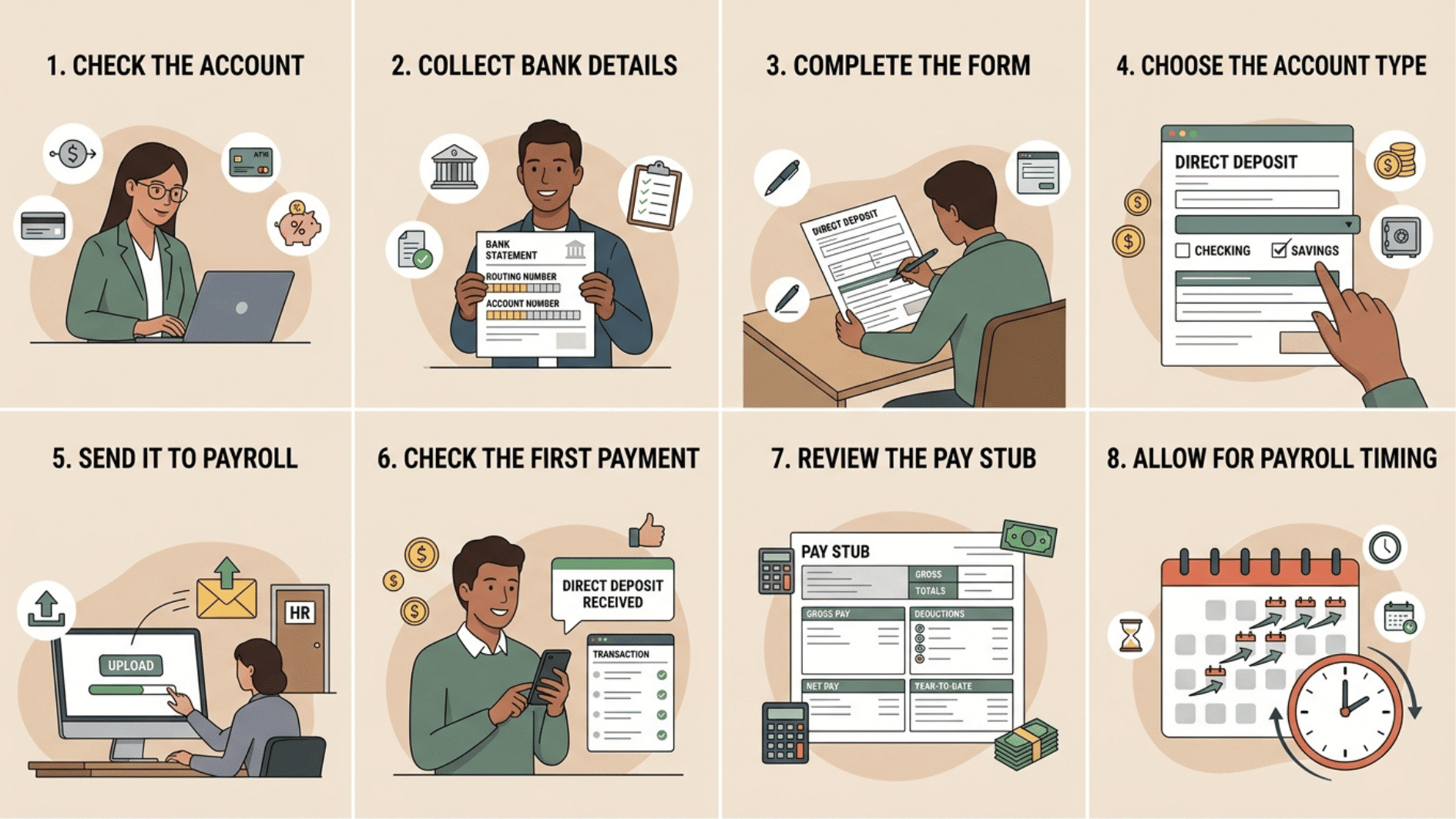
Setting up payroll deposits usually takes only a few steps. Most employers have a standard form that employees complete during onboarding or after opening a new bank account. Follow these steps:
1. Check the Account
Before setting up payroll deposits to a savings account, first confirm that the account accepts direct deposits.
Verify the bank’s routing information to ensure payments go through correctly, and check for any account limits that might affect deposit amounts or frequency.
Make sure you can access funds easily through ATMs, online, or mobile banking, and review any fees or transaction restrictions that could impact your deposits
2. Collect Bank Details
Gather your bank’s routing number and your account number carefully. These numbers ensure that your paycheck is deposited into the correct account.
Double-check the information on a recent bank statement or your online banking app to avoid mistakes that could delay your first deposit.
3. Complete the Form
Fill out the employer’s direct deposit authorization form completely and accurately. Include your full name, employee ID, and the bank details you collected.
Any errors can cause delays, so review the form before submitting it. Some employers may allow digital submission, while others require a printed form.
4. Choose the Account Type
When completing the form, select “Savings” as the account type if you want your paycheck deposited there instead of a checking account. Confirm the account type with your bank to avoid errors.
This ensures your funds are credited to the correct account type without issues.
Double-check that the account number matches your savings account exactly to prevent delays or misdirected deposits.
5. Send It to Payroll
Submit the completed form to your HR department or payroll team. Keep a copy for your records in case any follow-up is required.
Confirm with HR that they received your form and ask when the direct deposit will take effect, especially if your request is near a payroll date.
6. Check the First Payment
Once your first payroll deposit arrives, compare it to the net pay listed on your pay statement. Verify that the amount matches your expected paycheck and that no errors occurred during processing.
If there is a discrepancy, contact payroll immediately to resolve it before the next cycle.
7. Review the Pay Stub
Check deductions, taxes, and year-to-date totals on your pay stub. Also review your year-to-date totals to ensure accurate tracking. Keeping an eye on your pay stub helps you catch errors early and maintain accurate financial records.
8. Allow for Payroll Timing
Be aware that if you submit your direct deposit request close to payday, it may not be processed in the current pay cycle.
Plan ahead and submit the form well before the payroll deadline to ensure your funds are deposited on schedule. Timing is important to avoid delays and ensure a smooth transition to direct deposit.
Note: Processing times differ between payroll systems, so changes may not appear on the very next paycheck. It might take one or two payroll cycles before the update becomes active.
What Information Do You Need to Set up Direct Deposit?
Payroll departments need accurate banking information before the first electronic payment can be sent. Missing or incorrect details may delay the first deposit until the information is corrected.
| Information | Why Payroll Needs It |
|---|---|
| Bank routing number | Identifies the bank where the deposit should be sent. |
| Account number | Directs the payment to the correct personal account. |
| Account type | Tells payroll if the deposit goes to checking or savings. |
| Direct deposit authorization form | Confirms the employee approves electronic payroll deposits. |
How Does Direct Deposit Work?
Direct deposit sends wages electronically from an employer’s payroll system to the employee’s bank account through the ACH network.
Employees complete a direct deposit authorization form, and payroll uses the routing number and account number to send future paychecks.
The ACH Network processes billions of electronic payments every year, making direct deposit one of the most common ways employees receive wages in the United States.
Things to Check Before Using a Savings Account
Before adding a savings account to payroll, review its fees, access rules, and deposit terms. These details can affect how easily the money can be used after payday.
- Account access: Check if the account includes ATM withdrawals, online transfers, or a debit card.
- Minimum balance: Some banks require a set balance to avoid monthly charges.
- Account fees: Review maintenance fees, transfer fees, and other possible charges.
- Deposit timing: Confirm when payroll deposits become available, since posting times may differ by bank.
- Transfer rules: Check how often money can be moved from savings to another account.
- Account features: Compare interest rates, withdrawal options, and banking tools before submitting the form.
- Bank terms: Read the account agreement carefully before using it for payroll deposits.
Note: Consumer.gov provides practical information about choosing and managing bank accounts (h).
Direct Deposit to Checking or Savings
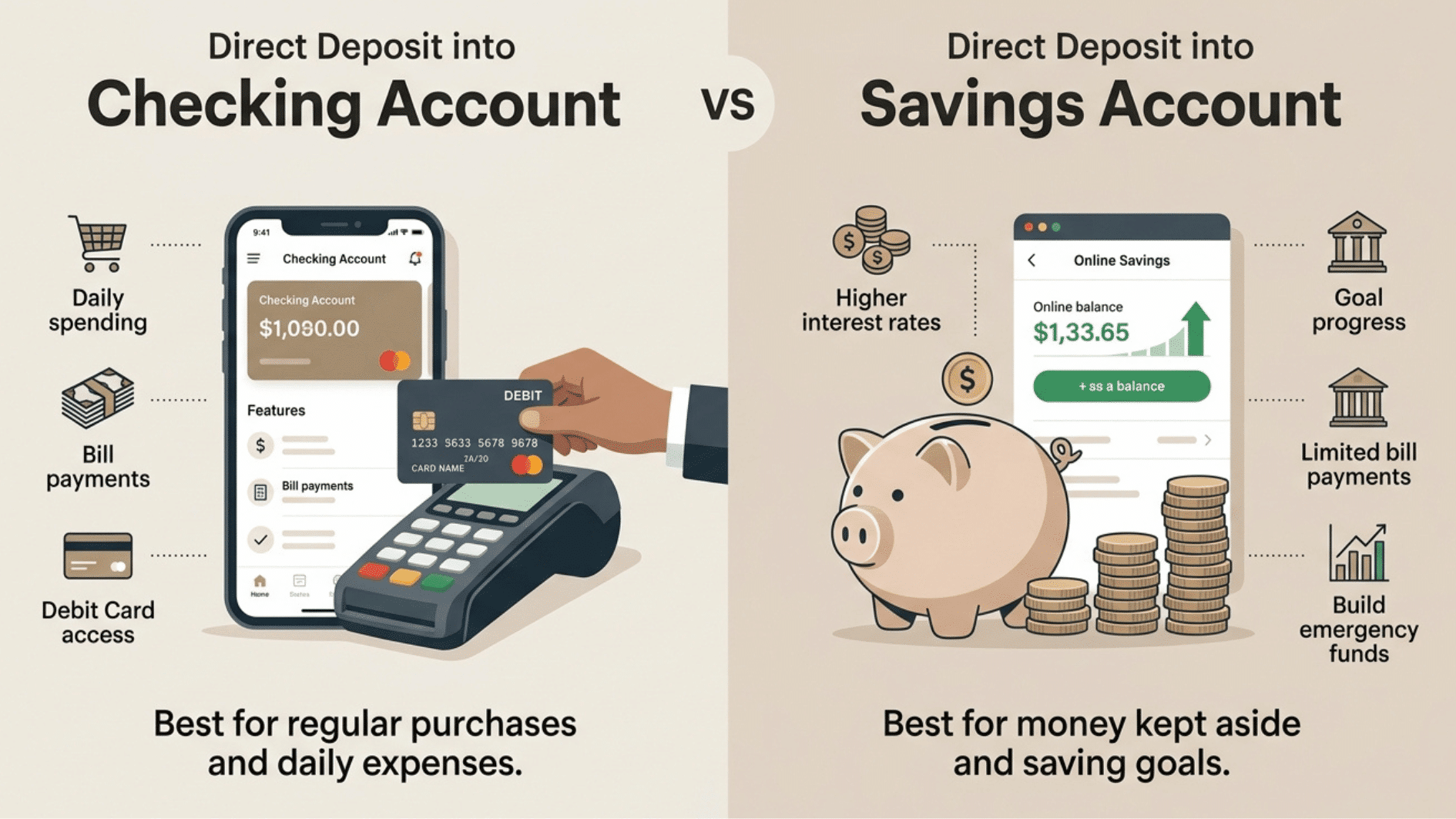
Many employees ask about direct deposit to checking or savings because each account serves a different purpose. Neither option is automatically better, but one may fit individual financial habits more closely.
| Feature | Checking Account | Savings Account |
|---|---|---|
| Daily spending | Better for purchases and regular expenses | Better for money kept aside |
| Debit card access | Usually comes with a debit card | May not include a debit card |
| Bill payments | Easy to use for recurring bills | Some banks may limit payments |
| Interest | Usually pays little or no interest | Often pays a higher interest rate |
| Best use | Bills, shopping, and daily spending | Emergency funds and saving goals |
Wrapping It Up
Where your paycheck goes should make managing your money feel easier, not more complicated. For many employees, choosing the right account depends on how they handle everyday expenses and savings.
Payroll choices should match the way you manage each paycheck. The question can you direct deposit into a savings account matters most when savings is part of a regular money plan.
Taking a little time to choose the right option can make each paycheck work better for you. It can reduce payment delays and make the selected account easier to manage over time.
Frequently Asked Questions
Can My Entire Paycheck Go Into a Savings Account?
Yes. Many employers allow employees to send their full paycheck to a savings account if the financial institution accepts direct deposits.
How Long Does It Take to Update Direct Deposit Information?
Many payroll departments process banking changes within one or two pay cycles. The exact timing depends on the employer’s payroll schedule.
Can I Change My Direct Deposit After Starting a Job?
Yes. Most employers allow employees to update their banking information by completing a new direct deposit authorization form.