


Starting a new job can feel exciting, but the paperwork can be confusing, especially when you are trying to understand how to fill out a W-4 correctly.
Choosing the wrong option may affect how much federal tax is taken from each paycheck and could lead to an unexpected tax bill later.
The form may look complicated at first, but each section has a clear purpose.
This blog will walk you through what a W-4 form is, why it is necessary, how to complete all five steps, how single employees can fill it out, and which common mistakes to avoid.
What is a W-4 Form?
A W-4 form, officially called the ‘Employee’s Withholding Certificate’, is an IRS document completed by employees and submitted to their employer.
New employees usually complete the form when starting a job, but a new W-4 can also be submitted after personal or financial changes.
Importance of the W-4 form
- Calculates Withholding: Determines how much tax is taken from your paycheck.
- Prevents Tax Surprises: Helps avoid unexpected tax bills later.
- Avoids Overpayment: Keeps more money in your paycheck when accurate.
- Reflects Life Changes: Updates withholding after major personal changes.
- Keeps Paychecks Accurate: Matches withholding with your tax situation.
How to Fill out a W-4 Form
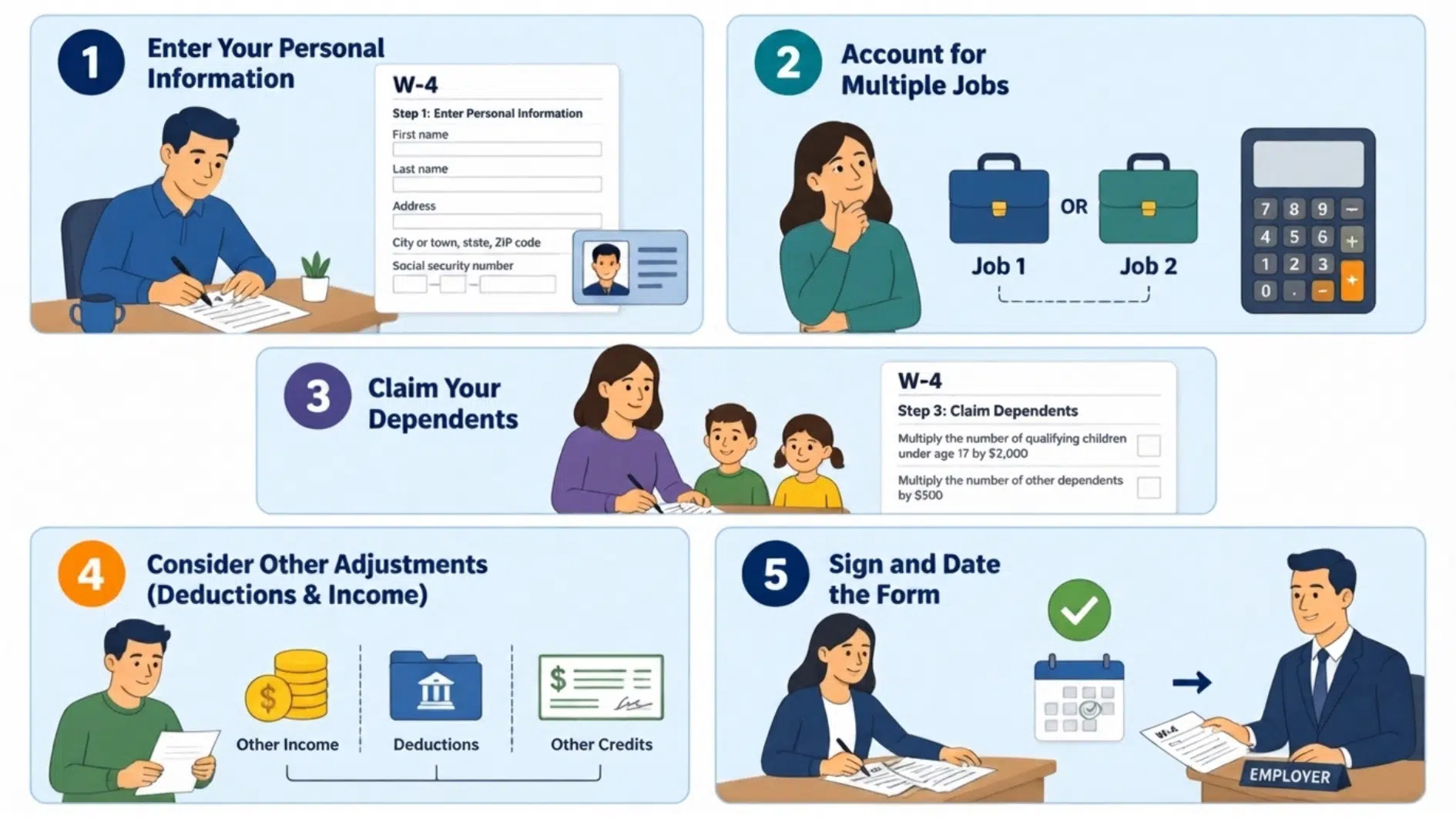
Learning how to fill out a W4 becomes easier when the form is handled one section at a time. Some steps are optional, so only complete the parts that match your job, income, and family situation.
Step 1: Enter Your Personal Information
Provide your full name, home address, Social Security number, and filing status. The available filing options include single or married filing separately, married filing jointly, and head of household.
Choose the status you expect to use on your federal tax return. The head-of-household filing status usually applies only when specific IRS requirements are met.
Step 2: Account for Multiple Jobs
Complete this section if you have more than one job at the same time, or if you are married filing jointly and your spouse also works.
The IRS provides three options: use the online Tax Withholding Estimator, complete the Multiple Jobs Worksheet, or check the Step 2(c) box if you have two jobs with similar pay.
For the most accurate result, the IRS recommends using its estimator, especially when pay differs between jobs or the form is completed after the year has begun.
Step 3: Claim Dependents and Credits
Enter qualifying dependent and tax credit amounts in this section. The form provides instructions for calculating credits based on the number of qualifying children and other dependents.
Only complete this step on one W-4 when a household has multiple jobs. The IRS generally recommends using the form connected to the highest-paying job. Leave this section blank when no dependent or other qualifying credits apply.
Step 4: Add Other Adjustments
This optional section covers income, deductions, and additional withholding.
- Section A: Report taxable income that is not usually subject to withholding, such as interest, dividends, or retirement income. Do not include income from another job. Some benefits have a taxable value that affects your withholding. Imputed income basics help identify which ones to include.
- Section B: Enter deductions when expected deductions exceed the standard deduction.
- Section C: Request an additional dollar amount to be withheld from every paycheck.
For 2026, the form also includes a checkbox for employees who qualify to claim an exemption from federal income tax withholding. Strict IRS conditions apply, so this option should not be selected simply to increase take-home pay.
Step 5: Sign and Submit the Form
Read the form carefully, then add your signature and the date. An unsigned W-4 is not considered valid.
Submit the completed form directly to your employer or through the company’s payroll system. It is not normally sent to the IRS by the employee.
Your employer uses the information to calculate federal income tax withholding from future paychecks.
How to Fill out A W-4 for A Single Person
Filling out a W-4 as a single person is usually straightforward when you complete each section carefully. Follow these steps to provide accurate information and set the right tax withholding amount.
- Step 1: Enter Your Personal Information: Provide your name, address, Social Security number, and filing status to identify your tax situation.
- Step 2: Account for Multiple Jobs or Income: Add details about other jobs or income sources that may affect your withholding amount.
- Step 3: Claim Dependents: Enter information about qualifying dependents and available tax credits if applicable.
- Step 4: Add Other Adjustments: Include extra income, deductions, or additional withholding requests that impact your paycheck.
- Step 5: Review Your Details: Check all the information you entered to ensure your W-4 is accurate and complete.
- Step 6: Sign and Submit the Form: Sign, date, and give the completed form to your employer for processing.
When Should You Update Your W-4 Form?
Your W-4 should be updated whenever your income, family situation, or financial details change. The table below shows common situations when reviewing your form may be helpful.
| Life Event / Situation | Reason to Update Your W-4 | What to Do |
|---|---|---|
| Getting married or divorced | Filing status changes can affect how much tax is withheld | Update Step 1 and select the correct filing status |
| Having or adopting a child | You may qualify for tax credits, reducing withholding | Complete Step 3 for dependents if eligible |
| Starting a second job | Total income increases, which may lead to underwithholding | Complete Step 2 or use the IRS Tax Withholding Estimator |
| Your spouse starts or changes jobs | Household income changes, affecting combined tax liability | Update Step 2 if filing jointly to reflect both incomes |
| Receiving a raise or major income change | Paycheck withholding may no longer match your tax obligation | Adjust Step 4(c) for additional withholding if needed |
Common Mistakes to Avoid When Filling Out a W-4
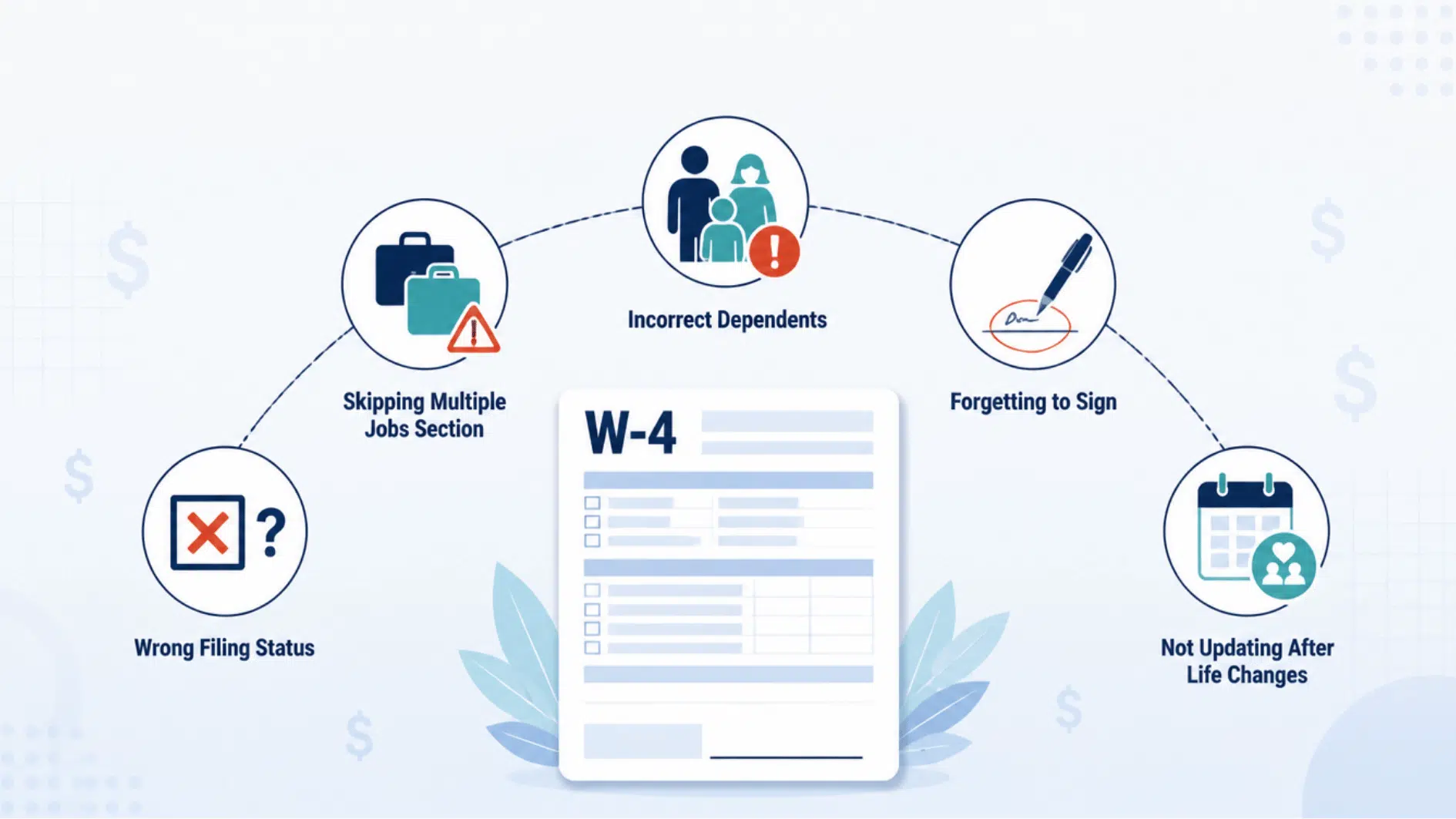
Even a small mistake on your W-4 can affect how much tax is withheld from your paycheck. Taking a few extra minutes to review the form before submitting it can help you avoid problems when it’s time to file your tax return.
- Choosing the Wrong Filing Status: Your filing status affects how much federal income tax is withheld, so select the status that matches what you expect to use on your tax return; check IRS guidelines if you’re unsure.
- Skipping the Multiple Jobs Section: If you or your spouse works more than one job, leaving this section blank could result in too little tax being withheld, so complete Step 2 when it applies to you.
- Claiming Dependents Incorrectly: Only claim qualifying dependents if you’re eligible, since incorrect information may reduce your withholding too much and lead to a tax bill later.
- Forgetting to Sign the Form: A W-4 isn’t complete until it’s signed and dated, so always review it before submitting to your employer.
- Not Updating Your W-4 After Life Changes: Treat the form as a living document and update it after major life events, such as marriage, a new child, a new job, or a significant change in income, to keep your withholding accurate.
The Bottom Line
Filling out a W-4 form may seem confusing at first, but understanding each section makes the process much simpler.
The form is designed to help your employer withhold the right amount of federal income tax from your paycheck based on your personal and financial situation.
Completing your first W-4, starting a new job, or updating your information after a major life change requires careful attention to each step to help prevent unexpected tax bills.
Now that you knowhow to fill out a W4, you can review your form with more confidence and make updates whenever your circumstances change.
Frequently Asked Questions
What Happens if I Fill out My W-4 Incorrectly?
Incorrect information may cause too much or too little federal income tax to be withheld from your paycheck, which could result in a larger refund or a tax bill when you file your return.
What Is the Difference Between a W-2 and A W-4?
A W-4 tells employers how much tax to withhold, while a W-2 reports your yearly wages and taxes withheld.
Can I Change My W-4 After Submitting It?
Yes, you can submit a new W-4 to your employer whenever your income, family situation, or tax withholding needs change.